Showing posts with label keyframing. Show all posts

Tuesday, August 18, 2020

How to Create Keyframe Animations in Minutes


Keyframes are used to specify the value of a property at a specific time. They allow you to tell your animation software where you want to change the value for a layer or the effect such as position, opacity, color, rotation, etc. By setting these keyframes and values, you can create smooth motion transitions. Learn how to create keyframe animations using Express Animate, in the video below. 

Using Keyframes to Animate in Express Animate


Simply follow the steps demonstrated in the above tutorial and you too can edit an object's properties, add and remove keyframes, and edit the values linked to a keyframe. Express Animate also allows you to add digital effects, vector masks, audio tracks, and more. Download Express Animate for free and try it yourself. For more Express Animate tips and tricks, check out more video tutorials here.

Monday, January 21, 2013

Keyframing and More VideoPad 3.00 Improvements

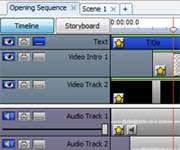
More video tracks and new features added to VideoPad The release of VideoPad Video Editor v3.00 has some exciting changes that long-time users should be happy to see, including additional video tracks and sequences, and keyframing, while remaining as easy as ever, keeping the learning curve to the bare minimum.

Keyframing is one of the new features we really think you will enjoy. Keyframing allows greater control over an effect’s usage in a video, including the rate at which it is applied, intensity, and even the animation of an effect or overlay on the video. From the Video Effects dialog, you can show the animation controls button by clicking the keyframes icon to the right of the Applied Effects heading. Add keyframes to the effect’s timeline and position them higher or lower to change how the effect is shown in the final video. Use the preview to make sure your effects look just the way they should.

Keyframing gives advanced users a lot more control and flexibility in their editing, and many of VideoPad’s newest additions streamline the editing workflow to help anyone new to video editing work like a pro with their first project. To help get people started we have updated the VideoPad tutorial to introduce you to the interface and the video editing basics you need to make your movies look their best.