
What’s mine isn’t yours and what’s yours isn’t mine
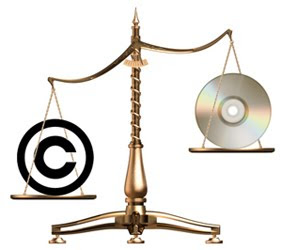 That is the legal stance as far as copying or editing someone else’s music is concerned. With the increased popularity of the MP3 music format in the late 1990s, the sharing of copy written music without authorization became much more prevalent, causing an increase in concerns about copyright infringement. Today, copyright infringement isn’t something to take lightly. If you’re caught copying or editing someone else’s work you may be forced to pay heavy fines. Just ask former Boston University student Joel Tenenbaum - he had to pay $675,000 in fines for illegally downloading music.
 Copying Music
According to The Copyright Act of 1976, you are allowed to copy someone else’s work if it falls under fair use. Fair use is described as using limited portions of a work, including quotes, comments, criticism, news reporting, and scholarly reports.Editing Music
Since it is legal to create software to edit music, shouldn’t editing music be legal? There is a lot of talk about reselling and downloading copyrighted music, but not too much about edited music. The most important thing to know is you can edit music as long as you do not intend to use it for commercial use. Also, once you purchase music you inherit the rights to share that music with your friends, and you are also allowed to edit that music as long as you keep a copy of the original.For more information see the following articles:
Using Edited Music on YouTube
For quite some time now, posting copyrighted or edited music to original videos on YouTube has been a problem. However, as of June anyone who wishes to put music behind their videos can, you just have to follow these simple rules. First, it is important to know that YouTube has signed a deal with Rumblefish, allowing users access to a library of music. Therefore, if you use music from this library you can edit it any way you like without worrying about YouTube removing your video. All you have to do is purchase the song for $1.99 and you will have a lifetime license to use and edit that song on YouTube.Basic things to remember
- Always purchase music legally either at a music store or online
- If it’s not your original music, using it may be violating someone’s copyright
- If you aren't sure something is copy written, check with the US Copyright Office
- Selling or redistributing music without the copyright owners permission is a violation of the owner's rights
- If you edit or mix song you’ve purchased, you have to keep a copy of the original song
- Only the owner of copy written work has the right to prepare or authorize someone else to create a new version of that work
- When using someone else’s work, even just a portion of it for a video or any other project, it is always a good idea to credit the original artist(s)


