
Showing posts with label audio recording. Show all posts
Showing posts with label audio recording. Show all posts
Friday, July 10, 2026

Wednesday, November 19, 2025
Friday, September 21, 2018
Record Streaming Audio Easily with SoundTap
How to Record Streaming Audio

There are many different reasons why you may want to know how to record streaming audio on your computer. Learning how to record streamed audio will allow you to record and save audio from VoIP calls, videos, internet radio, and more. With a simple audio stream recording software such as SoundTap Streaming Audio Recorder, you can easily record any audio playing on your computer.
Install SoundTap
First, you will have to install SoundTap Streaming Audio Recorder onto your computer. This install requires that you restart your computer after downloading so that SoundTap can use your computer's audio driver to record audio playing on your computer. After your computer has rebooted, you will see SoundTap opened on your desktop.
Set the Output Destination & File Type
Click on the Options button in the program to open the SoundTap options window. Here you can select where you would like to save your streamed audio recordings. You can also set your desired output format for your audio files. Once you are finished adjusting your settings, click OK.
Find an Audio source to Record
Locate the streaming audio source that you would like to record on your computer. SoundTap can record a variety of internet streamed audio, such as internet radio, audio from videos and audio from Voice over IP programs such as Skype. Any audio that can be played on your computer can be recorded with Soundtap. Open the application or file that you would like to capture the audio from on your computer.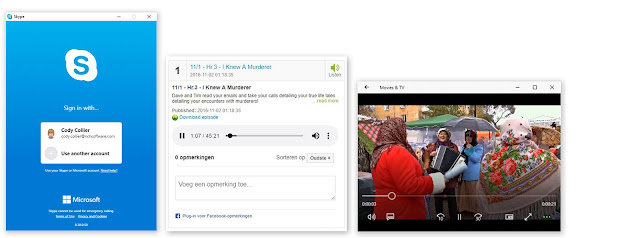
Record Streaming Audio
Click on the button that says Start Recording to begin recording streamed audio on your computer. While SoundTap is recording, the program will record any audio that is playing on your computer. If you would like to record audio from your computer's microphone in addition to the audio playing on your computer, simply check the box that says "Also record from microphone."
Export & Save
When you are finished recording your streamed audio, simply click the button that says Stop Recording. Your audio file will be saved in the default location that you set earlier. Click on the Find & Play button to launch the Find and Play Recordings window. From here you can listen to your recordings, see where they are saved, or save them to a new location by clicking the "Save As" button.
Thursday, October 31, 2013
MIDI Recording and Editing
 Did you know that built into our MixPad multi-track recording and mixing software is a MIDI editor that gives you precise control of MIDI tracks?
What this means is that you can record from MIDI instruments and devices, then edit those tracks, adding or deleting notes, adjust the pitch and duration of notes. Even quantize and humanize your MIDI creations adding small amounts of variability to the track so it sounds less like a robot and more like a musician. All of this with support for VSTi instruments and the standard MixPad features giving you the ability record and mix multiple audio tracks, add audio effects and more, expanding the power of this comprehensive sound studio software.
Saturday, October 26, 2013
Catch A Ghost On Tape
In honor of Halloween, we are taking a quick look into the paranormal world, and the recording and analysis of Electronic Voice Phenomenon (EVP). With all the little ghosts and goblins about you may want to have a little seance or just listen to the beyond.
 There are three classifications of EVP recordings based on their clarity, and the type of recoding you have will also affect the amount of editing you will need to do. The Classes are:
Chances are you will need to do some audio editing—enter WavePad—to better hear the EVPs on your recording. If you are planning to share your findings remember that the more editing you do the more possible criticism you can get from skeptics. First, you will want to trim the audio file to the sections you took note of. Then common editing done includes amplifying those hard-to-hear sections, possibly removing background noise, and slowing down the EVP since they are often spoken very quickly.
Of course, this is a very cursory look at Electronic Voice Phenomenon, but if you are intrigued by the topic here is a brief list you can explore to learn more and find additional advice on recording and analyzing EVPs from some ghost hunting pros:
EVP Recording
You don't need to be a ghost hunter to try recording an EVP, although being open, polite, and respectful are believed to be factored in success. Here are some tips to help you get started:- Equipment. You need an audio recorder, a headset for when you analyze your recordings, and a touch of patience that couldn't hurt.
- Start somewhere quiet. You don't need to be in a "haunted" location to make your recording, and while some believe background/white noise may encourage paranormal voices when you are just getting started the more traditional quiet location will make analysis easier.
- Recording. Take note of the noises around you as you record so you can rule them out when you analyze the audio later. Also, be sure that you do not have voice-activated recording turned on.
- Ask Questions. One of the most common techniques is to introduce yourself and then ask a series of questions as if you expect a response, with pauses between questions for replies.
- On to the Analysis. When you are done recording it's time to listen for EVP messages.
EVP File Classification
There are three classifications of EVP recordings based on their clarity, and the type of recoding you have will also affect the amount of editing you will need to do. The Classes are:Class A: A voice that can be understood without needing headphones and there is general agreement on the content.
Class B: A voice that requires headphones to hear and not everyone can agree on its content.
Class C: A voice that requires much filtering and even by wearing headphones nobody can agree on its content.
Analyzing EVP Recordings
The first step is to listen to the original recording from start to finish, making note of when you hear something. Before you start isolating and editing, be sure to save a copy of the original file so you can always go back, or allow people to compare the files.Chances are you will need to do some audio editing—enter WavePad—to better hear the EVPs on your recording. If you are planning to share your findings remember that the more editing you do the more possible criticism you can get from skeptics. First, you will want to trim the audio file to the sections you took note of. Then common editing done includes amplifying those hard-to-hear sections, possibly removing background noise, and slowing down the EVP since they are often spoken very quickly.
Of course, this is a very cursory look at Electronic Voice Phenomenon, but if you are intrigued by the topic here is a brief list you can explore to learn more and find additional advice on recording and analyzing EVPs from some ghost hunting pros:
- A Brief History of EVPs
- EVP Basics
- Electronic Voice Phenomena Recording Advice
- Tips On Recording EVPs
- How To Increase EVP Captures
- Video Tutorial: Analyzing your EVP with WavePad
Monday, October 7, 2013
Do More with Audio - Blog Carnival October 7, 2013
Here are this edition's entries to Do More with Audio:
Erik Matlock presents Another fine fiasco | The Art of the Soundcheck posted at The Art of the Soundcheck, saying, "War stories from the pro audio world. This time, we are running a show where the rig has been rented from several different vendors. What could go wrong?"
Tim presents Acoustic Guitar Recording posted at Deacon Tim’s Audio Blog, saying, "Recording a great-sounding acoustic guitar track used to be a real challenge, but with today’s highly affordable hardware and software, you can have the power of a pro studio right in your computer on your desk.
Jon Tidey presents Tips For Recording Great Electric Guitar Without Amps posted at Pro Sound Web, saying, "With direct guitar recording into virtual amps you can rock out through a great guitar chain without the neighbors calling the cops. This article outlines a few tips and best practices for getting great guitar tones without amps or mics."
Marie Tueje presents SFX Independence posted at Designing Sound, saying, "A list of new SFX libraries that came out in September and are available to purchase/sample now."
Casie lane presents Electronic Music Labels Using Pinterest posted at DJ Casie Lane.
Assap presents Isolated EVPs mystery posted at The ASSAP Blog, saying, "Why do the most convincing EVP recordings all seem to be single words or short phrases with little or no accompanying noise?"
Lilach presents How, What, Where and Why Guide to Podcasting posted at Socialable, saying, "Have you ever considered starting your own podcast? Anyone with a computer and Internet access can start their own podcast, so get your microphones ready and check out these tools to help you get started." John Lee Dumas presents 3 Unique Ways to Get Started With Business Podcasting posted at Social Media Examiner, saying, "There are many ways to approach business podcasting without interrupting your schedule, budget and skills."
You might also be interested in:
Erik Matlock presents Another fine fiasco | The Art of the Soundcheck posted at The Art of the Soundcheck, saying, "War stories from the pro audio world. This time, we are running a show where the rig has been rented from several different vendors. What could go wrong?"
Tim presents Acoustic Guitar Recording posted at Deacon Tim’s Audio Blog, saying, "Recording a great-sounding acoustic guitar track used to be a real challenge, but with today’s highly affordable hardware and software, you can have the power of a pro studio right in your computer on your desk.
Jon Tidey presents Tips For Recording Great Electric Guitar Without Amps posted at Pro Sound Web, saying, "With direct guitar recording into virtual amps you can rock out through a great guitar chain without the neighbors calling the cops. This article outlines a few tips and best practices for getting great guitar tones without amps or mics."
Marie Tueje presents SFX Independence posted at Designing Sound, saying, "A list of new SFX libraries that came out in September and are available to purchase/sample now."
Casie lane presents Electronic Music Labels Using Pinterest posted at DJ Casie Lane.
Assap presents Isolated EVPs mystery posted at The ASSAP Blog, saying, "Why do the most convincing EVP recordings all seem to be single words or short phrases with little or no accompanying noise?"
Lilach presents How, What, Where and Why Guide to Podcasting posted at Socialable, saying, "Have you ever considered starting your own podcast? Anyone with a computer and Internet access can start their own podcast, so get your microphones ready and check out these tools to help you get started." John Lee Dumas presents 3 Unique Ways to Get Started With Business Podcasting posted at Social Media Examiner, saying, "There are many ways to approach business podcasting without interrupting your schedule, budget and skills."
You might also be interested in:
- New Music Practicing Software
- Zulu DJ Software Now An Android App
- Teaching Reading Fluency with Podcasts
- The Compact Audio Cassette Turns 50
Wednesday, September 25, 2013
Teaching Reading Fluency With Podcasts
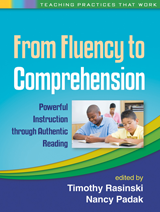 We were excited to hear about the newly published book, From Fluency to Comprehension, part of a Teaching Practices That Work Series. Not only is this an important topic and a resource full of practical information for teachers, we first heard about this book from Sheri Vasinda and Julie McLeod who wrote one of the chapters on podcasting approaches to reading fluency. In that chapter they feature the Pocket WavePad mobile application, complete with illustrations, for recording and emailing scripts.
So if you are an educator or parent of a young reader, take a closer look at this new book about building the skills students need to read accurately, meaningfully and expressively. This guide incorporates activities, examples and technology—like our very own WavePad—to provide students with the essential components of reading comprehension. A fundamental skill for learning, and as someone who strongly believes in lifelong learning, a cause I am happy to see us support even in the littlest of ways.
Tuesday, August 6, 2013
Do More with Audio - Blog Carnival August 5, 2013
Here are this edition's entries to Do More with Audio:
Erik Matlock presents Stuff you should know about your first recording session posted at The Art of the Soundcheck, saying, "Ongoing blog written for the new guys. Recently picked up and promoted by prosoundweb.com"
Stephanie Ciccarelli presents Audio Editing: From Razor Blades To Keystrokes posted at Audio Daily, saying, "Having come from the dark ages of radio production, digital audio production has been the most significant advance to me. The problem has been that audio recording software is mostly designed for music recording, so what's a voiceover artist to do?"
Susan Kaye Quinn presents How to Make a Book Trailer posted at Susan Kaye Quinn: Speculative Fiction Writer, saying, "The key to a good trailer isn't cameras and dollies, but story and execution. It has to WOW on an emotional level, and the only thing that turns those gears is a story well told. This should sound familiar; these are the things that make a good blurb, a good cover, a good movie, and a good book. And what better way to promote the audiobook than a sample of the narration?"
Jessica Clark presents 10 Phenomenal Musicians Named Ken posted at Kenney Myers, saying, "Musicians who share the name “Ken” are a dime a dozen. However, there are a select few who have made a significant impact on the music industry, and it is they who deserve special recognition."
Corey Walo presents What’s All This Noise About Dither? posted at ProSoundWeb, saying, "Unless you've put some serious effort into learning to master your audio, the concept of dither can be fairly bewildering. We've all been told to “do” it, but what are we actually doing?"
You might also be interested in:
Erik Matlock presents Stuff you should know about your first recording session posted at The Art of the Soundcheck, saying, "Ongoing blog written for the new guys. Recently picked up and promoted by prosoundweb.com"
Stephanie Ciccarelli presents Audio Editing: From Razor Blades To Keystrokes posted at Audio Daily, saying, "Having come from the dark ages of radio production, digital audio production has been the most significant advance to me. The problem has been that audio recording software is mostly designed for music recording, so what's a voiceover artist to do?"
Susan Kaye Quinn presents How to Make a Book Trailer posted at Susan Kaye Quinn: Speculative Fiction Writer, saying, "The key to a good trailer isn't cameras and dollies, but story and execution. It has to WOW on an emotional level, and the only thing that turns those gears is a story well told. This should sound familiar; these are the things that make a good blurb, a good cover, a good movie, and a good book. And what better way to promote the audiobook than a sample of the narration?"
Jessica Clark presents 10 Phenomenal Musicians Named Ken posted at Kenney Myers, saying, "Musicians who share the name “Ken” are a dime a dozen. However, there are a select few who have made a significant impact on the music industry, and it is they who deserve special recognition."
Corey Walo presents What’s All This Noise About Dither? posted at ProSoundWeb, saying, "Unless you've put some serious effort into learning to master your audio, the concept of dither can be fairly bewildering. We've all been told to “do” it, but what are we actually doing?"
You might also be interested in:
- Why High Sample Rates Sound Better
- How to Generate Audio Tones
- Royalty-Free Sound Effect and Music Library
- Easy Audio CD Burning
- Voiceover Trends and the Impact on Audio/Video Production
Friday, July 26, 2013
Why Do High Sample Rates Sound Better?
Guest post by Rupert Pfaff
Human hearing is generally defined as extending from 20Hz to 20kHz, and the Nyquist criteria state that a sampling rate of at least double the highest audio frequency must be used in order to accurately represent the signal. An unwanted side-effect of analog to digital conversion is 'aliasing', where musically unrelated signal noise enters the audio band, so an 'anti-aliasing' filter is used to prevent this, but because it is not possible to implement an infinitely steep filter, a slightly higher sample rate is used than is theoretically necessary. This is how the CD standard of 44.1kHz came about (a little more than double 20kHz), and DAT took this up to 48kHz to allow varispeed recording.
 So if we can't hear above 20kHz, why record at very high sample rates such as 96kHz or even 192kHz? Some have suggested that although we don't actually hear 'supersonic' frequencies, we somehow perceive them by another means, but experiments that artificially add and remove these frequencies have shown this not to be the case. But 'golden eared' tests which have made A/B comparisons of the same equipment operating at standard and high sample rates have revealed that 96kHz & 192kHz recordings do sound subjectively better - so what's going on?
The answer lies primarily with the anti-aliasing filters - even the best-designed filters produce a certain amount of 'ripple' that extends downwards from the cut-off point and gradually tails off, and this is perceived as a 'smearing' of high frequencies and the stereo image. But by moving the cutoff point way up (say to 96kHz), the ripple has all but disappeared by the time it gets down to audio frequencies, and hence, substantially improved sound quality. Importantly though, it follows that this improvement is maintained even after the sample rate has been converted down to normal rates, as no new A/D conversion is required, and therefore, no anti-aliasing filter.
Rupert Pfaff has worked in the music industry for over 20 years having operated a well known music shop in London before becoming a sound engineer and technical authority for mixing and mastering. Now involved with the day to day running and managing the online bookings for RecordingStudioLondon.
Human hearing is generally defined as extending from 20Hz to 20kHz, and the Nyquist criteria state that a sampling rate of at least double the highest audio frequency must be used in order to accurately represent the signal. An unwanted side-effect of analog to digital conversion is 'aliasing', where musically unrelated signal noise enters the audio band, so an 'anti-aliasing' filter is used to prevent this, but because it is not possible to implement an infinitely steep filter, a slightly higher sample rate is used than is theoretically necessary. This is how the CD standard of 44.1kHz came about (a little more than double 20kHz), and DAT took this up to 48kHz to allow varispeed recording.
So if we can't hear above 20kHz, why record at very high sample rates such as 96kHz or even 192kHz? Some have suggested that although we don't actually hear 'supersonic' frequencies, we somehow perceive them by another means, but experiments that artificially add and remove these frequencies have shown this not to be the case. But 'golden eared' tests which have made A/B comparisons of the same equipment operating at standard and high sample rates have revealed that 96kHz & 192kHz recordings do sound subjectively better - so what's going on?
The answer lies primarily with the anti-aliasing filters - even the best-designed filters produce a certain amount of 'ripple' that extends downwards from the cut-off point and gradually tails off, and this is perceived as a 'smearing' of high frequencies and the stereo image. But by moving the cutoff point way up (say to 96kHz), the ripple has all but disappeared by the time it gets down to audio frequencies, and hence, substantially improved sound quality. Importantly though, it follows that this improvement is maintained even after the sample rate has been converted down to normal rates, as no new A/D conversion is required, and therefore, no anti-aliasing filter.
Experienced Recording Studio Engineer Guidelines
In the early days of high sample rate recording, there was a preference for using multiples of the 'CD' frequency (44.1kHz), i.e. 88.2kHz or 176.4Hz - this was because sample rate conversion was a very difficult thing to do at the time, and better quality could be achieved when converting down to 44.1kHz by using an integer multiple. However this is no longer the case, and our usual preferred rate for acoustic recording is 96kHz for a variety of reasons:- 96kHz is the native frequency of many DVD audio releases
- Although 192kHz does sound a little better than 96kHz, the improvement is marginal
- Some plug-ins do not handle 192kHz audio
- Processing power is reduced to roughly a quarter of that available at 48kHz
Rupert Pfaff has worked in the music industry for over 20 years having operated a well known music shop in London before becoming a sound engineer and technical authority for mixing and mastering. Now involved with the day to day running and managing the online bookings for RecordingStudioLondon.
Thursday, July 18, 2013
Trends in Voice Over & the Affect on Audio/Video Production
Guest post by David Ciccarelli, CEO & Co-Founder of Voices.com
The art of communication - the most powerful, persuasive, and distinctly human tool in any marketer’s arsenal - has evolved to the degree that you don’t have to be in the same room to get a message across, or even be in the same country for that matter.
With this advancement, making sure the audience receives, understands, believes, and acts upon your message is so important. Hiring a voice-over artist with good acting skills (listen to podcast) can ensure your video production achieves the desired response.
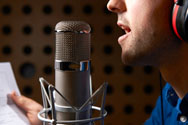 Voice actors play many different roles, each one representing a different purpose and segment of voice-over work. Commercials, entertainment, business and educational videos are just some examples of where you’ll hear voice-overs.
With the rise of social networks over the last decade, it’s become clear that we trust the recommendations of friends and family members. It’s for this reason that one role has risen above the rest among video producers looking to have their stories told in a persuasive, trustworthy manner.
You’ve probably heard the real-person in commercials, podcasts, explainer videos, and any other application where the voice actor needs to speak as though he or she is having a conversation with the listener.
By their very design, these types of reads sound natural and connect with the audience in a more direct, affable way.
These tips will help you get the conversational read you’re looking for. Ask the voice actor to:
 About the Authors: Stephanie Ciccarelli and David Ciccarelli are the founders of Voices.com, the largest global web hub for voice actors. Over the past nine years, Stephanie, David, and their team have grown Voices.com from the ground up to become the leader in the industry. This article was originally published in Voice Acting For Dummies and has been republished with permission from John Wiley and Sons, Inc.
The art of communication - the most powerful, persuasive, and distinctly human tool in any marketer’s arsenal - has evolved to the degree that you don’t have to be in the same room to get a message across, or even be in the same country for that matter.
With this advancement, making sure the audience receives, understands, believes, and acts upon your message is so important. Hiring a voice-over artist with good acting skills (listen to podcast) can ensure your video production achieves the desired response.
Voice actors play many different roles, each one representing a different purpose and segment of voice-over work. Commercials, entertainment, business and educational videos are just some examples of where you’ll hear voice-overs.
With the rise of social networks over the last decade, it’s become clear that we trust the recommendations of friends and family members. It’s for this reason that one role has risen above the rest among video producers looking to have their stories told in a persuasive, trustworthy manner.
Introducing the Real-Person
Projects requiring a more casual approach often benefit from relatable, genuine voice-overs. These are referred to as real-person voice-overs, often cast as “the regular guy” or “the girl next door.” The character is homegrown, sensible, and friendly with a touch of familiarity. This provides a more intimate interpretation of the message and instills trust with the audience.You’ve probably heard the real-person in commercials, podcasts, explainer videos, and any other application where the voice actor needs to speak as though he or she is having a conversation with the listener.
By their very design, these types of reads sound natural and connect with the audience in a more direct, affable way.
Becoming More Conversational
In order to get that real-person read, the voice actor needs to sound informal and genuine. This can be more difficult than one might expect. It takes discipline and practice on the part of the voice actor to sound like they’re having a conversation rather than just reciting the message. This is where good direction comes in.These tips will help you get the conversational read you’re looking for. Ask the voice actor to:
- Speak Slowly. Reads come across with greater sincerity when spoken at a slightly slower pace. When people rush through their words, they can either sound like they’re hiding something or that what they have to say is more of a sales pitch. Although this is true, you may find that commercials don’t afford you the luxury of reading slower because they contain too much copy to read at a slower pace. Commercials require that the voice actor reads the copy within the time allotted for the spot. Keeping a steady metronome-like tempo gives the voice actor the freedom to massage each and every word and give it the proper attention it deserves while observing punctuation and places to breathe.
- Speak Naturally. Reads are more conversational when they don’t sound as if the words or dialogues are contrived, meaning that it’s deliberately created instead of arising naturally. The trick to a conversational read is to have the voice actor picture themselves speaking to a friend or family member while reading their lines. With that, a more conversational flow to the read should occur.
- Sound Authentic. Sounding authentic is an important aspect of delivering a real-person read, although doing so isn’t easy, especially when you’re recording a commercial or a piece that involves persuasion or the selling of an idea. Authenticity is important in voice acting because the listening audience needs to feel that what you’re telling them is true. To be authentic, make sure the listener will feel as though the voice matches the role.
Trying Out the Real-Person on Your Next Video
When hiring a voice actor to narrate the script of your next video, consider giving them the artistic direction described above. By doing so, your video will be more persuasive and encourage the viewer to take your desired action.
About the Authors: Stephanie Ciccarelli and David Ciccarelli are the founders of Voices.com, the largest global web hub for voice actors. Over the past nine years, Stephanie, David, and their team have grown Voices.com from the ground up to become the leader in the industry. This article was originally published in Voice Acting For Dummies and has been republished with permission from John Wiley and Sons, Inc.
Tuesday, June 4, 2013
Do More with Audio - Blog Carnival June 4, 2013
Here are this edition's entries to Do More with Audio:
Denise Thompson presents How to Choose the Best First Student Guitar posted at Find A Babysitter, saying, "Learning to play a musical instrument allows your child to strengthen a wide range of their auditory skills, benefiting her throughout her adult life if she continues to play."
Björgvin Benediktsson presents Methods For Recording Acoustic Guitar posted at audioissues, saying, "Recording an acoustic guitar requires different methods recording an electric guitar."
David Thompsonn presents Exploring the Merits of Children Learning to Play an Instrument posted at Backup Care, saying, "Once a child reaches middle school, the school will often offer orchestra or band as an elective class. If your child isn’t particularly driven or musically inclined, why would you want to encourage him to play an instrument?"
Peter Kirn presents Music for Dance, Music and Movement posted at Create Digital Music, saying, "Movement and machines are the reason I do what I do, exploring new sounds in a way that is human and gestural."
sigh presents Sounding a Social Game posted at Behind the Scenes of Lucky Lady Games Studio, saying, "So now that all the essentials of the Lucky Lady Casino is arted up & in production, we have focused our energies towards another sensory must-have in game design, sound!"
Jenifer Sarah presents Jet Audio free download latest version of MP3 player 2013 posted at Software Collection, saying, "Jet Audio free download is one of the smartest Mp3 player available on the internet. You can play your all audio and video files with this latest version of Jet Audio free download. The best thing about this Jet Audio free download is that you can also convert your favorite video files into many formats. The audio controllers provided in this version of Jet Audio free download are amazing."
You might also be interested in:
Denise Thompson presents How to Choose the Best First Student Guitar posted at Find A Babysitter, saying, "Learning to play a musical instrument allows your child to strengthen a wide range of their auditory skills, benefiting her throughout her adult life if she continues to play."
Björgvin Benediktsson presents Methods For Recording Acoustic Guitar posted at audioissues, saying, "Recording an acoustic guitar requires different methods recording an electric guitar."
David Thompsonn presents Exploring the Merits of Children Learning to Play an Instrument posted at Backup Care, saying, "Once a child reaches middle school, the school will often offer orchestra or band as an elective class. If your child isn’t particularly driven or musically inclined, why would you want to encourage him to play an instrument?"
Peter Kirn presents Music for Dance, Music and Movement posted at Create Digital Music, saying, "Movement and machines are the reason I do what I do, exploring new sounds in a way that is human and gestural."
sigh presents Sounding a Social Game posted at Behind the Scenes of Lucky Lady Games Studio, saying, "So now that all the essentials of the Lucky Lady Casino is arted up & in production, we have focused our energies towards another sensory must-have in game design, sound!"
Jenifer Sarah presents Jet Audio free download latest version of MP3 player 2013 posted at Software Collection, saying, "Jet Audio free download is one of the smartest Mp3 player available on the internet. You can play your all audio and video files with this latest version of Jet Audio free download. The best thing about this Jet Audio free download is that you can also convert your favorite video files into many formats. The audio controllers provided in this version of Jet Audio free download are amazing."
You might also be interested in:
- WavePad Audio Editor Tips and Tricks
- Pre-Download Switch Audio Converter Preview
- A Few Fun Music Quotes
- Preview WavePad Audio Editing Software
- New Version of WavePad for Android
- Saving Audio Loops and Samples for DJays
Friday, May 24, 2013
WavePad Now Available for Android
 The long time NCH favorite, WavePad Sound Editor, is now available for Android phones and tablets. With releases of the popular, easy-to-use audio editor already available for Windows, Mac, iPhone and iPad we are extremely excited to round things off with the Android version.
Like the other versions, the WavePad Audio Editing Android App provides the same easy audio recording and editing tools you want, simply on another platform. So no matter what your preferred operating system is, or if you are at the desk or on the road, audio enthusiasts everywhere can rely on WavePad Audio Editing Software to be there to record and edit music, interviews and other audio.
Thursday, May 2, 2013
A WavePad Audio Editor Pre-Download Preview
Once again thanks to CNET you can take a short "video tour" of some of the wonderful features that make WavePad audio editor such a favorite for editing all kinds of audio. This is just a quick peek at the program, remember that you can also check out our list of audio editing tips and tricks to get started and watch our series of WavePad video tutorials for some more in depth instructions via video.
Tuesday, April 2, 2013
Do More with Audio - Blog Carnival April 2, 2013
Here are this edition's entries to Do More with Audio:
Shaun Farley presents Creative Uses of Reverb posted at Designing Sound, saying, "Reverb is used to create realism and adding appropriate reverb will instantly help dialogue fit better into a scene. However, reverb can also be used in many other creative ways, here is a small collection of examples."
Denise Young presents 10 Benefits of Playing a Musical Instrument posted at Au Pair Care, saying, "There are many benefits to playing a musical instrument that go beyond improving hand-eye coordination and instilling a sense of responsibility in your child."
Ken Theriot presents EQ Basics posted at Home Brew Audio, saying, "Equalization&emdash;or EQ&emdash;is a big part of mixing and mastering music, but for those new to audio engineering it may be difficult to grasp. Here are some of the basics for using EQ effectively."
stayonbeat presents Free VSTs for Music Producers and Artists posted at stayonbeat.com.
Lee Pritchard presents Why you should remove breaths from voice over audio posted at Media Music Now, saying, "The problem is that once audio is produced with compression and EQ the breaths will actually become more prominent, making de-breathing essential."
Michelle Brown presents 10 iPhone Apps for Music Maniacs posted at Nanny, saying, "Apple and the app developers for the iPhone App Store are bringing instruments and equipment right to your mobile device, allowing you to use them anywhere and at any time."
Sydney Bell presents 10 of the Best Mash Ups posted at Longhorn Leads, saying, "Mash-ups are the combination of two songs sites like YouTube have boosted the art to mind-boggling popularity."
Peter Kirn presents Makey Makey + Fruits and Vegetables = Music posted at Create Digital Music, saying, "Simple circuits have long been able to make use of sensors in real-world items, but the Make Makey interfacing has made those circuits silly-simple. The project grew out of research at MIT Media Lab's Lifelong Kindergarten. Here see Massive Attack's Teardrop, as covered by artist j.viewz on fruits and veggies using the Make Makey system."
Shaun Farley presents Creative Uses of Reverb posted at Designing Sound, saying, "Reverb is used to create realism and adding appropriate reverb will instantly help dialogue fit better into a scene. However, reverb can also be used in many other creative ways, here is a small collection of examples."
Denise Young presents 10 Benefits of Playing a Musical Instrument posted at Au Pair Care, saying, "There are many benefits to playing a musical instrument that go beyond improving hand-eye coordination and instilling a sense of responsibility in your child."
Ken Theriot presents EQ Basics posted at Home Brew Audio, saying, "Equalization&emdash;or EQ&emdash;is a big part of mixing and mastering music, but for those new to audio engineering it may be difficult to grasp. Here are some of the basics for using EQ effectively."
stayonbeat presents Free VSTs for Music Producers and Artists posted at stayonbeat.com.
Lee Pritchard presents Why you should remove breaths from voice over audio posted at Media Music Now, saying, "The problem is that once audio is produced with compression and EQ the breaths will actually become more prominent, making de-breathing essential."
Michelle Brown presents 10 iPhone Apps for Music Maniacs posted at Nanny, saying, "Apple and the app developers for the iPhone App Store are bringing instruments and equipment right to your mobile device, allowing you to use them anywhere and at any time."
Sydney Bell presents 10 of the Best Mash Ups posted at Longhorn Leads, saying, "Mash-ups are the combination of two songs sites like YouTube have boosted the art to mind-boggling popularity."
Peter Kirn presents Makey Makey + Fruits and Vegetables = Music posted at Create Digital Music, saying, "Simple circuits have long been able to make use of sensors in real-world items, but the Make Makey interfacing has made those circuits silly-simple. The project grew out of research at MIT Media Lab's Lifelong Kindergarten. Here see Massive Attack's Teardrop, as covered by artist j.viewz on fruits and veggies using the Make Makey system."
You might also be interested in:
- Using EQ to Boost the Bass in Audio
- Several Ways to Quickly trim and Cut Music and Audio Files
- FFT Spectrum Audio Analysis Software
- Mixing Audio Voice Overs With Other Audio
- Add DirectX and VST Audio Effect Plugins to WavePad
Tuesday, March 12, 2013
Adding an Audio Voice Over with WavePad
 If you want to record a your voice over a piece of music you have two choices in the NCH Software audio suite. MixPad recording and mixing software is the more advanced program, that will allow you to record multiple tracks, and fine tune the mixing of the music and vocal tracks, but you can also try the Paste Mix feature in WavePad audio editor for quickly combining to files.
WavePad doesn't allow you to record directly over another file, highlighting a file and clicking record will end up replacing the selection. Instead, use the Paste Mix feature to combine two audio files into a single track.
Copy the recorded voice over to the clipboard, then select all in the audio file you want to add that voice over to and click Paste Mix on the Edit Tab.This will open a window with options on what to do if your files are not the same length. If the Mix Audio—which is your voice recording on the clipboard—is the shorter of the two files, you can ignore the options and click OK. If the Mix Audio is longer, you need to decide what to do when the audio you are mixing into is finished. When you click OK the two pieces of audio will be combined and when you press Play you will hear both files.
Monday, February 4, 2013
Do More with Audio - Blog Carnival February 4, 2013
Here are this edition's entries to Do More with Audio:
Matt presents Play the Rings of a Tree Trunk Like a Record posted at Make: Blog, saying, "What would the trunk of a tree sound like if a cross section of it were played like an LP?"
Mary presents Music resources for small churches posted at The Mustard Seed Journal, saying, "links to sources of instrumental music for hymn singing and more."
Mel presents Audio reporting tools of the trade: then and now posted at journomel.com: Examining where journalism is heading, saying, "a shift from using many one-use devices to one device with many applications."
Darren presents C25K Podcast Music – Make Your Own and DIY! posted at PromoGuy dot Net, saying, "How you can create your own C25K podcast and get running!"
profmaja presents Why I Put a Recording Space in My Classroom posted at Day in the Life of a Backwards Musical Mind, saying, "A space for my students to work on their rhythm projects and promote excitement towards doing their best."
Jessica Clark presents 10 iPhone Apps for Recording & Editing Audio posted at Kenney Myers, saying, "Here is a list of 10 interesting applications that I have looked into recently for recording and editing audio."
Chris presents Epic Musical Mashup posted at Mental Floss, saying, "video artist Crumbs Chief mashes up an insane number of musical dance numbers, matching them to the mashup track 'Come Again (Beatles vs Rare Earth vs Beaties vs Daft Punk vs Cypress Hill vs Boston)' by the Kleptones."
Floppy music DUO - Imperial march by Paweł Zadrożniak:
You might also be interested in:
- WavePad Sound Editor Makes a Cameo on NBC's Chicago Fire
- Speaker Recording Software for Windows and Mac
- How to Record an Audio Book
- An Audio Swiss Army Knife
Wednesday, January 9, 2013
Speaker Recording Software for Windows and Mac
 Everyone knows you can use a microphone for recording audio, and a quality microphone is the best tool for a lot of different types of recording, but if you want to record something that you are listening to on your computer putting your mic next to your speakers is not going to get you the quality audio you can get with SoundTap Streaming Audio Recorder.
With SoundTap you can directly record audio from your computer, so you are capturing the same audio you hear being played through your speakers and saving it as an mp3 or wav file. So, with SoundTap installed on your PC or Mac you can record high quality digital audio from all kinds of places including:
- Record internet radio streams
- Convert formats with their own players to mp3
- Record VoIP phone calls or conference calls
- Save audio from streaming webcasts
- Grab the audio in online videos
Wednesday, December 5, 2012
WavePad's Chicago Fire Cameo
 If you're a fan of the new NBC show Chicago Fire and you have sharp eyes you might have spotted WavePad on the recent Two Families episode that aired on November 21st. For those of you not familiar with the show it is an intense look at the lives of the firefighters and paramedics Chicago Firehouse 51. One of the subplots of this rather intense Thanksgiving episode includes one of the firefighters deciding to put together a podcast, and there is a scene with him doing an interview with another one of the station 51 firefighters. As they are talking if you are familiar with the WavePad interface you might recognize it in the computer sitting on the table between them. For us this was an added excitement to add to the already action packed television show.
If you haven't seen it you may very well want to start following the heroes portrayed in Chicago Fire. And if you want to create a podcast of your own you will want to have WavePad Audio Editing Software on your computer.
Friday, November 23, 2012
Best Software for Making Music

Software Review Boffin recently reviewed MixPad multitrack mixing and recording software, adding it to their list of music making software titles. In the review they praised not only MixPad alone for being exceptional software, but noted that "the [high] standard is consistent with other NCH products that Software Review Boffin has audited before." The review also went on to say:
"With MixPad Multitrack Recording Software users are able to record instruments and vocals for their music production. Users will find it simple to rearrange, copy and integrate music to the intended state the user desires. Create audio productions within minutes of downloading is a great start for music making software."
– Software Review Boffin
– Software Review Boffin
You can read the complete review of MixPad music mixing software from Software Review Boffin, or download MixPad today to test out the multi-track recording and mixing features for yourself. Also be sure to check out our other exceptional and award-winning, audio software or musician software titles for additional music making tools.
Friday, November 2, 2012
Record Skype Calls - Easy Audio & Video Call Recording
 We have posted before about recording phone calls through a TRX personal call recorder, recording multiple phone lines across a business network with VRS call recording software, or even saving conversations with the Express Talk softphone’s recording feature, but with the advent of internet technology like Skype, what if you want to record a phone conversation on your computer?


