Showing posts with label invoice. Show all posts

Friday, January 13, 2017

Change Currencies in Express Invoice

How to Change Currencies in Express Invoice

Change Express Invoice Currency to Euro, Pound, Rupee, Etc.

Changing the default currency sign in Express Invoice is quick and easy to do. The currency tracked by this robust invoicing software can easily be changed to the Euro, Pound, Rupee, Yen, or any other currency using the Options menu.


Navigate to the Options Menu

To Navigate to the options menu, click on the icon that says "Options" in the top bar menu of the program window. The Options menu includes many options to personalize invoices, quotes, and sales orders, as well as currency preferences.


Once you have opened the invoicing options pop-up menu, click on the "Regional" tab in the left hand menu. 


This will open the regional options dialogue where you can change the decimal symbol, thousands symbol, date format, and measurement units used on your company's invoices. Simply click and type to change the decimal symbol and thousands symbol on your invoices. Printed date format and measurement units can also be changed here by selecting an option from the drop-down lists. 


The Regional options can be expanded to select "Currency". In the Currency dialogue, you can change the currency symbol, currency name, currency order, and currency digits.

Simply click to edit any of these drop-down fields. You can also type in a currency symbol if you cannot find the correct symbol in the drop-down list.


 You can change how currency is displayed on invoices by editing the Currency Order.


When you are finished, click "OK" to save your selections.

Use Multiple Currencies in Express Invoice

If you need to record invoices in multiple currencies, you have two options. You can either add a second currency or you can set up a second business within Express Invoice for invoices in a second currency. 

Setting Up Multiple Currencies

Multiple currencies will allow you to switch between invoices in two different currencies. To set up multiple currencies, select "Multiple Currencies" from the "Invoice" menu.


This will open a window that will allow you to add additional currencies to Express Invoice. To set up a new currency, click on the "Add New Currency" button. Fill out the form with information on the new currency that you would like to add, including the currency symbol, name, currency symbol display order, digits displayed in the currency, decimal symbol, and thousands symbol. 


Each currency that you add will act as a fresh install of Express Invoice. You can switch between currencies within a business. Each currency will keep its own separate lists of invoices and quotes. You can switch between currencies at any time by selecting "Multiple Currencies" from the "Invoice" drop-down menu. Highlight the currency that you would like to switch to and click "Select" to switch to invoices in that currency.


Setting Up a Second Business In Express Invoice

To set up a second business with a different currency, navigate to the "Invoice" drop-down menu, and select "Multiple Businesses" from the drop-down list. 

This will open a window that will list your current businesses. Click on the button titled "Add New Business" to add a new business.


Follow the set-up guide to enter your business information for your second business.


Once you are done adding business information, you can select a currency for your second business by following the steps above. Changing the settings for your second business will not affect your original business settings. To switch between businesses, select "Multiple Businesses" from the Invoice drop-down menu, select the business that you would like to switch to, and click "Select". 


Wednesday, July 2, 2014

Great Review from MGMedia Networks


- Michael Gardner, Los Angeles -

"I want to thank all involved with NCH/Express Invoice for putting out this software which is easy to use, user friendly, and reasonably Priced. 

A couple years ago my Social Media business grew to a point where just using a pen and paper and a calculator just was not good enough anymore. I purchased a few invoice programs to see which is good for me. While others less expensive were okay but just had too much details missing, and others more expensive were just too hard to ...comprehend, the NCH Express Invoice was just perfect. I have been keeping up with the updates and upgrades and it just gets better and better! 

I even showed a couple clients of mine what the application does and both had purchased your software and they (and their employees) are very happy with it.... So, Audrey in Sales, Customer Service, and Tech support staff..... I thank you!!!!"

- MGMedia Networks (Los Angeles)

Tuesday, July 30, 2013

Business Software Integration Improves Inventory Tracking

At NCH Software we take suggestions from our customers very seriously. It helps us improve our products when people who use the software ask us to provide features and upgrades that would help them.

Inventory tracking better integrated in NCH Software business programs For our business customers, tracking inventory is an important part of their daily business processes. Inventoria inventory management software is a full-featured inventory system for managing available stock, and many customers have asked us to integrate this inventory tracking with our accounting software Express Accounts, our invoicing software Express Invoice, and Copper our point-of-sale software so that they can better track inventory when selling items using these other business programs.

That integration is now available and we've received positive feedback from users who say that it has helped them in their day-to-day business operations.

Express Invoice, Express Accounts, and Copper can all be set to sync with Inventoria. This means, for example, that if you sell a product using Copper point-of-sale it will automatically update the quantity in Inventoria. Both products can be installed on different computers and as long as those computers are connected to the Internet it doesn't matter where the computers are located. That means that your warehouse could be next door, across the country, or around the world and the sale will be reflected in your inventory almost instantly. The sync process works the same for Express Accounts and Express Invoice as it does for Copper.

This integration is a significant improvement to the NCH Software business suite. We've got many more improvements planned for not only our business software but for our entire product line as wells, so stay tuned and continue to let us know how we can best improve our software for you.

Thursday, April 11, 2013

Express Invoice Now Available for Android

Express Invoice Android App Now Available
Adding to the NCH Android collection and giving you the ability to create invoices from anywhere, the popular, Express Invoice invoicing program is now available for Android tablets on both Google Play and on the Amazon app store. So business people who couldn't jump on the recent Express Invoice iPad release because they have an Android device don't need to feel left out anymore.

Take your billing on the road with you for easy, streamlined invoicing that is less of a chore. And for an even more comprehensive invoicing solution for multiple users, you can still use the popular desktop versions of Express Invoice invoicing software.

Monday, January 14, 2013

New iPad Express Invoice App

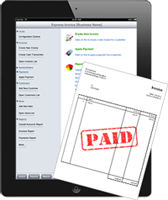
Now available in the iTunes store is the brand new iPad version of Express Invoice, providing a new portable and easy invoicing solution for business people on the go. Create and send invoices, quotes and estimates, automate recurring invoices and payment past due reminders, plus access up-to-the-minute statements and reports all from the convenience of your iPad.

Sales and business people who are always on the move and spend more time with customers than at their desk won't want to miss out on the convenience of the express invoice iPad app. And for a more comprehensive solution including support for multiple users, multiple businesses and remote access, be sure to check out the desktop versions of this popular invoicing software.

Tuesday, July 31, 2012

Software to Grow With Your Business, Made Easier

Software to Grow With Your Business from Invoicing to Accounting and more, made easyOne of the great things about our suite of software applications is that you can pick and choose individual applications so you only buy the programs that you need. If you only need something to help you with invoicing, you can purchase Express Invoice and not need to wade through a complete accounting package just for sending bills to your clients. This is great for small companies that frequently have help from outside with their accounting, and it isn't until you are doing more of the bookkeeping in-house that you'll want a full blown accounting system.

As your business grows and you are getting ready to make the transition to an accounting system, you will be pleased to know that we are striving to make this upgrade easier for you. Now when you install Express Accounts, it will search for Express Invoice on your machine and give you the option of importing the invoices and using the balances from Express Invoice as the opening or beginning balances for your Checking and Accounts Receivable in Express Accounts. Imagine how much time that will save you in setting up your accounts.

Tuesday, January 3, 2012

Run Your Business from Anywhere

remote web access business softwareSmall business owners frequently wear different hats, run errands and are pulled in a million directions. That is one of the many reasons why we built the web access feature into our business software applications. We know you aren’t always at your desk when you need to update your records and accounts, check your inventory levels, or check the status of a client’s account. Here’s an overview of a few of our business programs that include the web access feature:
By setting up the web interface for any of these programs, you make it possible for other staff members to log into the system, and you can also log in and update information from your mobile phone or any remote computer. This means if you are at a meeting with a client you can make an invoice, and if you are at your warehouse you can update your inventory. To help make sure you take full advantage of this ability to access your data on the go, we created a video tutorial on setting up the Inventoria web access for easy access to your business inventory information wherever and whenever you need it. You can also view tutorials for setting up web access for Express Invoice and Express Accounts.

Monday, April 25, 2011

Express Invoice Super Options: New Invoice Customization

Our goal in developing an invoicing program has always been to produce professional documents that any business can use. To obtain a professional looking invoice we know it's important to do the following:
  • keep the clutter to a minimum
  • line up edges and blocks of text to keep the invoice looking clean
  • be organized
  • above all, value simplicity over flashy elements
One of the most requested features for Express Invoice is for complete customization of the final look of the invoice. One way to go about this would be to let the customer drag and drop the various pieces they need onto a template and generate the invoice from their vision, but we strongly feel that by giving more options we would violate the criteria laid out above. So, we compromised. While we want your business's invoices to stand out from the crowd, we don't want you to get carried away with colors, clip art, borders, fonts and kittens (you'd be surprised at what we've seen out there). Express Invoice Software Invoice Customization

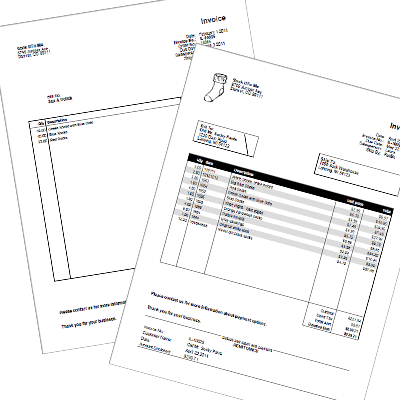
On the Invoice tab of the program Options, you will now find a button for more invoice options, giving you the choice to add certain design elements and invoice options such as including a remittance slip, shading every other line behind the items list, or whether to show the discount column on the invoice. The options make Express Invoice even more versatile than before, making it a perfect fit for an small business, freelancer, or contractor needing an invoicing solution.

Need more small business solutions, such as accounting software, employee management software, or an automatic telephone attendant? Be sure to check out our other business software, all of which comes with a full, free 14-day trial.

Monday, March 21, 2011

Home Business: Accounting and Invoicing Software

Software for Getting Your Home Office Running (Part 2 of 5)

You've got the idea for your business and are swarming with ideas about how to get started. You may think that bookkeeping and accounting is getting ahead of the game at this point—first you need clients. But that's not true. You need to keep track of all your expenses and payments right from the start. Setting up accounting software to manage your accounts out of the gate can save headaches caused by trying to find these details later.Accounting and Invoicing Software for Home and Small Start Up Businesses

One of the advantages of running a business out of a home office is the tax deductions you can take. But to take advantage of those deductions, your records must be in order. Deductions are retroactive once you have paying clients, so accurately tracking the expenses leading up to that first client is extremely important.

You need a flexible, easy-to-use accounting program or you won't use it. Ideally, it will also handle your invoicing to making record keeping even easier, which is one of the things that Express Accounts accounting software offers. Express Accounts is available for Mac and PC, can be installed and ready to use in less than 5 minutes.

Here are some of the key features of Express Accounts:
  • Create journal entries for payments, purchases, receipts and deposits
  • Create and send invoices from inside the application
  • Set up alerts to track unpaid invoices and make sure nothing falls through the cracks
  • Standard reports including Profit & Loss statement and Balance Sheet
  • Email or fax reports and invoices directly from the program
Express Accounts is particularly ideal for your start up business because it allows you to track expenses without having to pay extra bookkeeping costs or for expensive software with features you'll never use. Express Accounts will also grow with your business; it can track all the business expenses of multiple businesses with your original software license, and across several locations. Setting up your home office with Express Accounts ensures you'll have software that is easy to use, and that you can use for years to come without any additional investment.

Next: VoIP Phone System

Monday, March 7, 2011

Software You Didn't Even Know You Needed

Technology has become a huge part of our daily lives, and I am sure you could pretty easily come up with a list of devices or applications that you simply couldn't live without. But with so much technology out there, I'll bet there are programs out there that can make your life easier or more efficient that you never even thought to go searching for. The software surprises listed below will quickly climb to you must have list once you give them a try.

Shorthand Text Expander Software
Ever find yourself typing the same words, phrases or paragraphs repeatedly? Stop typing things over and over again with text expansion software. You might not think much about what you type out all the time, but if you really stop to think about it, I'm sure you could find multiple ways to use keyboard shortcuts that would save you time. Anything from inserting signatures in emails, filling out online forms, and writing long responses to customer questions don't need to be more than a few keystrokes away, instantly improving your typing speed and productivity.

Invoicing Software
Managing invoices is a never-ending process, and if you're doing them all by hand or in Excel you might be spending more time on invoicing than you need to. Invoicing software like Express Invoice allows you to set up automatically recurring invoices, where invoices can be automatically generated and sent as e-mails or faxes from the program. Express Invoice has other time saving features including mobile access, reminders for payments past due and storing item information to eliminate repeat data entry.

Timesheet Software
Another way to make invoicing easier for freelancers and other businesses that charge by the hour is using timesheet software to not only create a timesheet but track the amount of time spent on individual projects or clients.

Automatic FTP Uploading Client
Every web designer already knows that an FTP client is a must, but not all FTP clients are created equal. I personally couldn't live without Fling Automatic FTP Software, which can be used to automatically detect and upload changed files to keep files synchronized. Fling can also be used to upload files from your right click menu, so you can upload a change live without needing to open and browse through your files in the FTP client separately.

File Converter Software
If you've ever had trouble opening up an audio or video file, then you already know how helpful it can be to have a file converter on hand. With Switch Audio Converter, you can convert and compress sound files within minutes of downloading. For video files there is Prism Video Converter, plus Pixillion Image Converter, for images and Doxillion Document Converter to convert document types. Combined these software converters can help you get out of just about any file format compatibility problem.

Friday, November 19, 2010

NCH Software Now in Canadian Retail Stores

NCH Software including Express Invoice Now in Canadian Retail StoresToday is the first day that two of our essential business software programs are available across Canada in Staples business supply retail stores. As bundled French and English versions of Express Invoice Invoicing Software and Inventoria Professional Inventory Software hit the shelves today, it marks not only the first time NCH Software products are being sold in retail stores outside the US Market, but also as the first time localized versions of our software are being sold in a retail store environment.

NCH first entered retail stores across the United States early this year. WavePad, VideoPad, PhotoStage, FlexiServer, and Golden Records are just some of the software titles that can now be found at stores including Office Depot, CompUSA, Micro Center, and Fry’s. Seeing our software on the shelves at retail stores in the US has been incredibly exciting and we hope our success here will help us continue to branch out to still more retail stores both here and in other countries, including Australia where we are based, in the future.

Thursday, July 15, 2010

Software to put the “Free” back in Freelancer

freelancing software When you set out as a designer/writer/ artist/programmer on the freelancing path, you probably envisioned yourself working merrily at your home office desk. The word freelancing itself invokes thoughts of freedom—freedom from a boss, from a set schedule, from traffic jams and cranky coworkers. But you probably didn’t foresee all the details you would have to keep track of, and any freedom you may have hoped for was quickly squashed by the little things. The more successful you are as a freelancer, the more organized you need to be. Here are some software solutions that will put you back in control.

Timekeeper Software: HourGuard
Time is money, and your time is especially valuable. Not only will HourGuard track how much time you spend on work for each client, it’s easy to use, so your precious time won’t be spent trying to figure it all out. All you have to do is click the Start button when you begin a client’s work, and click Stop when the session is over. You can even set up a task schedule for large projects and track how much time you spend on each sub-task. When your billing period comes around, HourGuard will compile a time sheet, complete with what work you did, for how long, and when. You’ll wonder how you ever lived without this handy tool, especially after you download it for free.

Invoicing Software: Express Invoice
Stop using that sloppy-looking thing you call an invoice, and get organized with your finances. Express Invoice will not only generate professional looking invoices for you to send to your clients, it will help you keep track of how much money clients owe, past due payments, and how much money you’ve collected.

Customer Relationship Management Software: Reflect
If you’ve ever misplaced notes from your last phone conference, had trouble finding your client’s contact information, or lost the lead on a new job, you NEED this software! Use Reflect to create a complete customer record, complete with contact details, notes, event scheduling, and to advance your business. Reflect is free, so your ROI will be outstanding.

Business Card Creation Software: CardWorks
Getting new jobs is all about making great connections. Being caught without a business card is no excuse when creating your own business cards is this easy and free. CardWorks comes with a variety of pre-made templates for you to add your contact info to, then save to a pdf and take to the printer, or even print them out at home.

Depending on your line of work, you may find these other programs useful in your freelancing venture:

FTP File Transfer Software: Classic FTP For uploading your webpages, artwork, and code once your work is complete.
Disc Burning Software: Express Burn The easiest way to send your work, back up your work, or demo your work is still by creating a CD or DVD.
PDF Printer: Bolt PDF Sending professional PDFs of your resume, job bids, and other documents in PDF is the document sharing standard.

And be sure to check out our other Business Software to see all the business solutions we offer. Many of our business programs are scalable, so as your business grows, our software will grow with you.

Friday, May 28, 2010

Express Invoice at a Glance


A look at Express Invoice, the best professional invoicing solution for entrepreneurs, freelancers and small- to medium-sized businesses. Everything you need to manage and track customer billing and payments in one easy-to-use invoicing program.

Tuesday, December 22, 2009

Single Software Applications are the Way of the Future
You Don't Need to Buy the Whole Suite Anymore

business software building blocks The days of needing to purchase an entire software suite are behind us. At NCH Software we have designed our software suites so that each product can be bought individually and still integrate with other individual applications. This gives businesses more control and flexibility to purchase only the products they need without spending money on products they will never use. Customization becomes available to businesses of all sizes so they can craft solutions to best fit their individual needs.

This approach to separating out the units of a software suite is particularly beneficial for smaller businesses just getting started. A small business has fewer needs than a more established company and less capital to put into a fully fledged system with all the bells and whistles. With our software you can start out with just the features that you need and easily add on more features and more products as your business grows. The benefits of this type of scalable system of buying individual products as you need them should be obvious.

For example, most new businesses with limited personnel are going to hire a consultant part-time to manage their accounts, but they are still going to need to invoice their customers. Having the option to purchase a standalone invoicing program like Express Invoice is a great solution in this case. Later, the business can upgrade to Express Accounts as they begin handling more accounting in-house, or integrate with Inventoria for inventory management control. The flexibility of upgrading and integrating as needed caters to the environment and economic needs of a small business owner.

Your telephone system is another area that should be able to grow with your business. As you bring on employees you will need extensions. You might want to set up an information line to answer frequently asked questions when no one is in the office to take a call. Maybe having on-hold music and messaging is something you need. With the NCH Telephony Suite you can add on features like these to your basic system as you grow into the need for them. There is absolutely no reason to purchase features like call conferencing capabilities that you won't ever use, but it is always available if someday you do.

We have had a lot of positive feedback from customers about this approach to selling software. We would never dream of making someone pay for the entire software suite if they didn't need it. Integrating the products together gives you the ability to design a custom software solution, piece by piece, for exactly what you need.

Friday, December 4, 2009

Inventoria, a scalable stock inventory program
Can make your tiny business look big and busy

A recession is the perfect time to start a new small business, or upgrade the one you have. Consumer needs are changing now more than ever, and those with the most agility--small-business owners--can step forward to identify and meet those needs.

Customers are attracted to businesses that are busy and effective, and small business owners can achieve that goal with the right tools. Starting up a business or expanding one is much more risky today than it has been, especially when credit is so hard to come by. That’s just one reason why integrating technologies with effective cost saving benefits are so important to setting up a business for continued success.

For Internet businesses, or any small retailer, here is an inventory management tool we have been working on with the help and feedback of more than 2,400 early adopters who test and tried the beta edition. These testers gave us such great feedback that we guarantee the majority of users will be able to get the program installed and working in 3 minutes, and can help make you look like a bustling storefront without needing to spend hours in log books manually calculating and tracking your stock.

inventory management and tracking from delivery to the sales floor and more The program is Inventoria professional stock management software that enables inventory management for a single retail store or track inventory at several locations. Inventoria can generate purchase orders to be sent directly to a vendor, and alerts can be set up to let you know when it is time to reorder. One of the new features added to help save you time—and money—is the ability to scan in products by barcode. The reports generated by Inventoria allow businesses a simple way to track sales and prices—essential for future planning.

Inventoria is a Windows-based program that can also be used in conjunction with NCH’s Express Invoice to automatically adjust the volume of stock when an invoice is sent out.

We encourage you to give Inventoria a try. Visit www.nchsoftware.com/inventory and download the free 14-day trail and experience the benefits of this inventory management software for yourself.

Wednesday, June 3, 2009

Do we use our own software?

In one word... Yes.

NCH SoftwareNCH Software has two office locations, one in Denver Colorado and the other in Canberra, Australia. Both locations are set up with the Axon Virtual PBx and the IVM Call Attendant. In some cases employees have extensions on both PBx systems. This allows us to call between the offices on IP Phones for no cost at all.

Someone in the Australian office can just pick up their phone and dial and extension allocated to me in the Denver office, the same if we were only located on different floors of the same building.

If I need to make a call to another business in Australia I can pick up my phone, press my Australian extension and dial a number in Australia and the call we be charged at local call rates instead of international call rates.

FastFox Text Expander is an application that nearly all staff have installed on their PCs and Macs. Our support and marketing teams use it for common responses, signatures, URLs, phone numbers and addresses.

FlexiStation is installed on all computers and we can track our work hours, log leave requests and generally see how our time is spent at work.

Our finance department works with Express Accounts to keep track of incoming and outgoing cash flow for the companies and our sales department uses Express Invoice to create quotes and invoices.

I personally use Debut Video Capture to record webcasts and KeyBlaze Typing Tutor typing tutor because sometimes two fingers for a keyboard just doesn't quite cut it. In one way or another we all use some of the software at home and in the office. Even though we have a testing department sometimes the best way to find a hidden problem, or the best suggestion, when it comes to software is to use it on a day to day level.