Showing posts with label organization. Show all posts

Tuesday, June 25, 2013

Stop Balancing Your Checkbook By Hand

Checkbook Balancing The Old Way How do you track your spending? Did you learn how to balance a checkbook in school? Do you take the time to go through it by hand each month? Or, maybe the question should be if you balance your checkbook at all?

The good news is that there is no reason for your checkbook to stay analog in this digital world. You can track your spending and balance your checkbook easily with simple software like MoneyLine Personal Finance Software, which will even download statements directly from your bank. So save yourself the trouble and the time of doing things the old-fashioned way without letting the chore gets left on the side of the road.

Monday, April 15, 2013

Free Mac Personal Finance Software

New Mac Personal Finance Software Free Our newest program, MoneyLine Personal Finance Software, is available for Mac OS X. We sometimes wait before releasing a Macintosh version of a program, but we have seen and heard the outcry of Mac users who are frustrated with the lack of updates and support of Quicken for Mac. So we are stepping in to provide MoneyLine as the personal finance software alternative for Mac users, to fill that hole in personal accounting software choices for Mac users.

From downloading transactions directly from your bank and digitally balancing your checkbook to categorizing purchase transactions to see where your money is going and stay in control of your personal finances. We hope you agree MoneyLine Personal Finance Software is an easy, consolidated way to organize and track your spending. But, do let us know anything we can do to make it an even better solution for Mac money management.

Friday, April 5, 2013

New Free Personal Finance Software

MoneyLine new free personal finance software If you have multiple bank accounts and credit cards keeping track of all your spending can be difficult. Your money may be spread out, but that doesn't mean understanding of your personal finances needs to be disjointed.

MoneyLine personal finance software isd a brand new and free way for you to track all your bank accounts and spending in one, centralized location. Now tracking your finances couldn't be easier. With MoneyLine you can download statements and transaction details directly from your bank(s), reconcile accounts—or digitally balance your checkbook, log money transfers, and categorize purchases to help you stay organized and see where your money is going.

You work hard for your money, so make sure you know where that hard earned cash is going. Make managing your spending and balancing your checkbook less of a chore. Give MoneyLine a test drive and be sure let us know what you think and if there is anything else we can do with future releases to make managing your personal finances easier.

Tuesday, July 3, 2012

Organize your Bookkeeping

no more shoebox accounting software

It may not be tax season but that is no reason to let your business bookkeeping fall behind or into disarray. Express Accounts has an intuitive design that allows you to start managing your finances within minutes, so you can save time organizing your incoming and outgoing cash flow. Track more than just transactions, store client and vendor information, manage inventory levels and more with this easy and robust accounting software.

Throughout the year, track the performance of your business and watch your business grow. The task bar displays a current overview of your company's financial status and quick access to more than 20 essential accounting reports.

Express Accounts makes staying on top of your business accounting easier, which will save you headaches when tax times does roll around again, and your accountant will thank you for keeping everything organized.

Friday, June 29, 2012

Edit Song Tags to Organize Your Music Collection

If you have a large music collection you have probably collected songs from lots of different sources, and may find that some of your music's ID3 tag information is incorrect, inconsistent, or even missing. Stamp ID3 Tag Editor is a fast and easy way to correct, update and add ID3 tag information to music files, including the artist name, song title, album, year and more, which can help keep your music library organized.

ID3 tags can be added to the properties of MP3, WAV and OGG audio formats. These tags not only make it easier to find and organize music on your computer, but audio players also use this information to display information about the song you are currently listening to.

To make changes to the data on your songs, browse through the folder explorer on the left side of the Stamp MP3 Tag Editor main interface. The songs list for the folder will be listed in the top right, and the meta data tags for the selected song(s) are shown below the music list. Enter the tag details for the song or songs you have selected, then simply click Stamp to save your changes.

Thursday, December 29, 2011

Reflect Mac Customer Relationship Management Software

Reflect CRM Customer Relationship Management Software now available for MacYou're not seeing double—there is twice the convenience for business with our ever-expanding range of business software that is available for both PC and Mac platforms. This week the list of Mac business applications grew with the release of Reflect CRM Software for OS X.

With Reflect customer database software, your business can move past just making transactions by storing and organizing client information. Consolidating valuable customer data gives businesses more complete insight into their clients and customers, helping front-line employees make faster, better informed decisions and build stronger relationships with customers for increased customer satisfaction and loyalty.

Thursday, December 15, 2011

Don't Panic, Photo Recovery Software

photo recovery softwareIf you take a lot of photos, you have probably experienced that moment of panic when you connect one of your memory cards to your computer and you don't see anything there. Where could the photos be? Oh no! This should have lots of pictures from my vacation to Bali and my daughter’s ballet recital on it! What happened?!? First make sure you are looking at the right memory card, and if you are, before you mourn the loss of those photos, there still might be hope.

When electronic files get "deleted," whether they were on a memory card or a hard disk, the space they occupy is typically only flagged as free to have something else saved there. So recovering a "deleted" or "missing" file is only a matter of using a program like Orion Photo Recovery Software to scan for the pictures that have been mistakenly flagged as free space. With Orion, you can search your computer or any external device, such as a memory card or your camera, for these files, restoring them to their former visible glory for you to share, print and save.

Friday, October 7, 2011

Burn and Label CD and DVDs on Windows or Mac

CD DVD Label Software for Mac or WindowsNCH Software provides a wide range of multimedia software allowing you to record, edit, convert and combine digital photos, audio and video files. And what comes after your digital remastering? You can take advantage of the Upload to YouTube feature built into many of our software programs, but another great option is to burn your projects to CD or DVD. With Express Burn Disc Burning Software you can burn audio, video and data to CDs, DVDs and even Blue-Ray discs in a variety of file formats. Simply drag, drop and burn and in minutes you have a finished disc. You could stop there, or maybe scribble something on the disc with a sharpie, but if you want to really make your burned discs stand out you can create customized CD and DVD labels and cases with Disketch Disc Label Software for that finishing touch and to help keep your discs organized.

Disketch Labeling Software was recently released for the Mac for the first time, making it easy for anyone to create personalized labels and cases by adding text, color and images.

Monday, April 25, 2011

Express Invoice Super Options: New Invoice Customization

Our goal in developing an invoicing program has always been to produce professional documents that any business can use. To obtain a professional looking invoice we know it's important to do the following:
  • keep the clutter to a minimum
  • line up edges and blocks of text to keep the invoice looking clean
  • be organized
  • above all, value simplicity over flashy elements
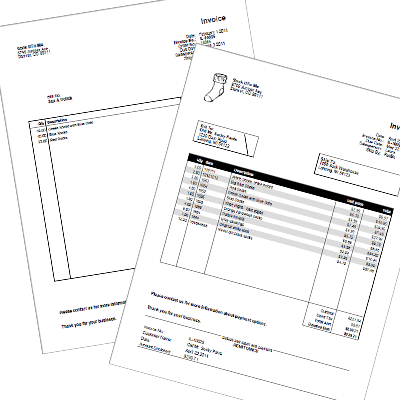
One of the most requested features for Express Invoice is for complete customization of the final look of the invoice. One way to go about this would be to let the customer drag and drop the various pieces they need onto a template and generate the invoice from their vision, but we strongly feel that by giving more options we would violate the criteria laid out above. So, we compromised. While we want your business's invoices to stand out from the crowd, we don't want you to get carried away with colors, clip art, borders, fonts and kittens (you'd be surprised at what we've seen out there). Express Invoice Software Invoice Customization

On the Invoice tab of the program Options, you will now find a button for more invoice options, giving you the choice to add certain design elements and invoice options such as including a remittance slip, shading every other line behind the items list, or whether to show the discount column on the invoice. The options make Express Invoice even more versatile than before, making it a perfect fit for an small business, freelancer, or contractor needing an invoicing solution.

Need more small business solutions, such as accounting software, employee management software, or an automatic telephone attendant? Be sure to check out our other business software, all of which comes with a full, free 14-day trial.

Wednesday, April 6, 2011

Home Business: More Software to Help Business Run Smoother

Software for Getting Your Home Office Running (Part 5 of 5)

More software for small and home businessesOnce you have your accounting software in place and your telephone system set up, it is time to think about the other types of software that might help with your specific type of business.

For instance, if charging by the hour, you might benefit from HourGuard timesheet software to log the time you spend on projects for each customer for easier billing.

Use Reflect customer database to save, organize, and cross-reference information about your clients, and set reminders for yourself on events you should follow up on.

Another work-from-home profession is transcription, where Express Scribe digital transcription playback software, FastFox text expansion software and TexTally word counter can all be extremely useful in improving your efficiency.

Those examples are just the beginning of possible business applications that can help you run your home office more efficiently. Your time is a valuable commodity when you are getting a business off the ground, so it makes sense to find ways to streamline as many processes as you can. Some other software programs you may want to consider are:

Friday, March 25, 2011

Home Business: VoIP Phone System

VoIP softphone, perfect for business telephone callsSoftware for Getting Your Home Office Running
(Part 3 of 5)


Another key component to setting up your home office, after your accounting system is in place, is the phone system. You've likely heard about VoIP, which has been growing in popularity, and with good cause. As an entrepreneur the important thing to know is that VoIP can save you a lot of money on phone bills.

VoIP stands for Voice over Internet Protocol, and what that means is that the call information travels over the Internet instead of through traditional telephone landlines. Essentially, the only cost for sending information over the Internet is the Internet connection; the transmission itself costs nothing. That means calls between VoIP users will frequently be free.

The only cost associated with VoIP calls come from connecting to other telephone networks that service cell phones and landlines. Even in this case, there are significant cost savings because the VoIP phone providers can use the Internet to travel long distance, and then switch the call to a standard phone line in the local area of the destination, and you pay only for the local call, eliminating long-distance charges. The benefit to this is that you can increase the reach of your business, because you won’t be worried about your long-distance phone call budget.You business can potentially be more functional—providing new opportunities to increase your productivity and responsiveness.

With that in mind, here’s an example of the cost savings. For your home office, the telephone line and long-distance charges using a traditional landline phone system can cost upward of $100 per month. Compare that to the cost of using a VoIP system, where the total cost can be as low as $3.25 to $4.30 per month, a savings of more than 90%! With those savings, the initial cost of a business-oriented softphone will be paid for in less than a month.

A VoIP phone, or softphone like the Express Talk softphone only takes a few minutes to set up and will work with any VoIP provider. Express Talk is designed for professionals and has all the features you expect from a business telephone including do not disturb, conference calling, and even the ability to record conversations. It can be used with a USB phone to give the feel of a traditional phone, or with a headset, or microphone and speaker setup—which you may already have—making the cost of setting up your office with VoIP only a matter of buying the software.

Next: Phone System Enhancements

Monday, March 21, 2011

Home Business: Accounting and Invoicing Software

Software for Getting Your Home Office Running (Part 2 of 5)

You've got the idea for your business and are swarming with ideas about how to get started. You may think that bookkeeping and accounting is getting ahead of the game at this point—first you need clients. But that's not true. You need to keep track of all your expenses and payments right from the start. Setting up accounting software to manage your accounts out of the gate can save headaches caused by trying to find these details later.Accounting and Invoicing Software for Home and Small Start Up Businesses

One of the advantages of running a business out of a home office is the tax deductions you can take. But to take advantage of those deductions, your records must be in order. Deductions are retroactive once you have paying clients, so accurately tracking the expenses leading up to that first client is extremely important.

You need a flexible, easy-to-use accounting program or you won't use it. Ideally, it will also handle your invoicing to making record keeping even easier, which is one of the things that Express Accounts accounting software offers. Express Accounts is available for Mac and PC, can be installed and ready to use in less than 5 minutes.

Here are some of the key features of Express Accounts:
  • Create journal entries for payments, purchases, receipts and deposits
  • Create and send invoices from inside the application
  • Set up alerts to track unpaid invoices and make sure nothing falls through the cracks
  • Standard reports including Profit & Loss statement and Balance Sheet
  • Email or fax reports and invoices directly from the program
Express Accounts is particularly ideal for your start up business because it allows you to track expenses without having to pay extra bookkeeping costs or for expensive software with features you'll never use. Express Accounts will also grow with your business; it can track all the business expenses of multiple businesses with your original software license, and across several locations. Setting up your home office with Express Accounts ensures you'll have software that is easy to use, and that you can use for years to come without any additional investment.

Next: VoIP Phone System

Wednesday, March 16, 2011

Software for Getting Your Home Office Running

economical software for the small home officeHave you recently decided to take the plunge and become the entrepreneur you’ve always wanted to be, or are in the beginning stages of a new business venture? No doubt you are worried about startup costs. There’s a fine line to walk when it comes to using the highest quality tools to start your business with a solid foundation while searching for cost savings, and it's possible the threat of spending too much money is holding you back. Setting up your business office can be done efficiently—spatially, time-wise, and monetarily.

It may be hard to imagine, but you might be surprised by how good it feels to be running your own venture once your office is up and running. So, whether you’re a sales person, a lawyer, a teacher, a healthcare professional, a carpenter, or a builder—any profession at all—let’s get started setting up a home office.

The essentials for an office space are a desk, a phone, and a computer. After that, it’s all about the software, and finding the right tools for your needs. One of the beautiful things about software is that it can do a lot of work for you, helping you not only start out on the right foot, but also to project a very professional front for your small business that can help you compete with larger, more established organizations. Plus, if you do your homework, it can cost a lot less than you might think.

There are two major aspects of running a business that you need in place at the start: a bookkeeping system and a good phone system. Both sound expensive, but they don’t have to be. In fact, you could actually save money on a phone system and still have more features than your current setup.

For the next few weeks, we’ll be running a series of blogs about the software you need for setting up your home office:
In the meantime, take a few moments to peruse our business software. There are a wide variety of tools for helping you in all aspects of your business, all designed to get your business off to the strong start you’re looking for.

Tuesday, January 18, 2011

Inventory Software Frees Up Time for Other Tasks

Hospitals and pharmacies are required by the Drug Enforcement Administration (DEA) to maintain a detailed and accurate inventory of all the drugs and medication that they stock. Keeping track of their entire inventory can be a very time consuming task, especially if the pharmacy is not up to date with the latest technology. Peter McNulty, Pharmacy Operations Manager at Salem Health, has had a significant reduction in the time spent maintaining and tracking inventory by transitioning from a manual system to Inventoria Professional Inventory Management Software.

Keep track of pharmacy inventory easily with Inventoria stock control softwarePrior to using Inventoria, McNulty was manually recording his inventory in a log book, which was a huge drain on his time, requiring several hours daily to keep records accurate and up to date. Inventoria greatly simplified the way McNulty runs his business, "I estimate we save two hours per day in staff time that can now be used in providing direct patient care."

McNulty has found not only significant reductions in the time required to record and maintain DEA records, but greater control over the distribution processes in real time making Inventoria an ideal solution for tracking inventory movement of Controlled Substance Drug Distribution in an acute care Hospital setting.

"Setup was very easy, it required about eight hours of staff time to load items, record beginning inventory count, add customers and give user access," noted McNulty. "I especially like how quickly reports are generated and the ease of saving the report on a daily basis which makes it easy to comply with DEA record-keeping regulations. Inventoria is easy-to-use, requires minimal maintenance and has a high value in comparison to most other programs in this category."

Inventoria stock management software allows businesses of all types and sizes to track and manage inventory at a single location or across several locations. With this complete inventory management system you can manage stock levels by category, location and supplier, transfer stock between locations, set low level alerts, even generate and send purchase orders to vendors directly from within the program.

Friday, January 7, 2011

Video Editing Is Easier Than You Think

Don't leave your videos where no one can watch them, video editing is easier than you thinkAre you guilty of using your video camera to record and then letting all of those videos sit unused in a closet or on your hard drive? If the reason you put off doing anything with all of those video recordings is a fear of how much work it will be, then we have the answer for you—VideoPad Video Editing Software.

In early December we released a new version of VideoPad with more transitions and effects, plus a variety of other improvements including a new overlay track that will allow you to extend the same text over one or more video clips, making things like scrolling credits a breeze. And now we have just updated a two-part VideoPad video tutorial series to walk you through many of the features you will need to transform all that video footage into truly memorable home movies to cherish and share. VideoPad is easy to use in itself, and with these tutorials it’s now even easier.

The new tutorials cover the basics: adding media to your movie, working with the sequence, and exporting your finished movie. They also cover the fun stuff, like placing transitions between clips, and adding effects. You’ll also learn some tips for working with VideoPad, so you’ll always be able to achieve the finished product you imagined.

So what are you waiting for? Check out the VideoPad video tutorials, download VideoPad, collect up your SD Cards and other video recordings out of hiding, and get started. You will be making your own movie masterpiece within minutes.

Friday, August 20, 2010

Business Inventory Management Made Easy


Inventoria Stock Manager allows businesses of all sizes to efficiently track all their inventory processes, whether for one small retail outlet, or a chain of stores and warehouses across several locations. And Inventoria is only one piece of our business software suite, combine it with our other business applications for a low cost complete business management solution.

Monday, May 17, 2010

Evolution of the Photo Album

How making a slideshow can enhance the way we preserve memories
Photo Slideshow SoftwareWhen I was younger, I loved pulling out the photo albums my mom kept in the living room. There, in the cellophane-wrapped pages, printed on Polaroids and semi-gloss photo paper, was the evidence of our lives. I recognized the old house the pictures were taken in, and could see the resemblance of my parents’ faces in their younger form. I remembered old toys and costumes, and sometimes saw old friends. Everyone was always smiling, and it was the perfect reminder that I had grown from love. These photos made appearances at my graduations and my wedding, sometimes eliciting a round of laughter, and always reminding us of the paths leading us to that day.

As we learn to integrate our lives with a digital existence, the sensation of flipping through the sticky pages of a photo album will become a rare occurrence. But that doesn’t mean that the visceral experience will disappear; there will still be the unpredictable nature of seeing photos anew, in which memories arise and emotions are conjured up. I have realized that the pictures I take almost never make it to the pages of a photo album. They have different lives than the photos my parents took. They remain in chronological order on my camera, or stored on discs, hard drives, and SD cards. I almost never print them out.

But that doesn’t mean my photos are stowed away, rarely to be seen. If anything, there are more opportunities to share photos than ever. Between portable devices, mobile phones, online photo sites, and social media, photos have a new life. The slideshow, once a good excuse to take a nap while your uncle narrated slides of his latest motor home trip, is now a creative and highly engaging experience and is the ultimate way to share memories. Creating a slideshow today means taking advantage of technology to engage with our photos, and to reflect on our lives in ways we never have before.

With graduations coming up, and as we head into the height of the wedding season, now may be the perfect time to reminisce or put together a meaningful slideshow full of family memories. Here are a few tips for putting together your slideshow, and for amazing your friends and family:
  1. Get a slideshow program. Putting together a slideshow should be intuitive, especially when dealing with hundreds of photos. Photostage slideshow creator is easy to use, it handles multiple media formats, and you'll end up with a quality slideshow worthy of any special event.
  2. Gather your media. That’s right, I said media. Don’t limit yourself to digital pictures--scan in those old prints you have too. Then, look for video clips, but keep them short. Don’t worry if your videos aren’t in digital format, those can be converted if you use Golden Videos VHS to PC converter to convert home movies to digital format, and edit them down with VideoPad video editor. Don’t forget the music either. Choose music with special meaning; either songs that make you smile, or bring a tear to your eye.
  3. Organize your media. Once your photos, video clips, and audio are on the slideshow timeline, move them around so you can see how they relate to each other. Group similar pictures or find themes that match the music, and use blank slides filled with text to help break up the different sections. Or, try telling a compelling story either by recording narration or inserting captions along the way.
  4. Embellish. Adding transitions between the slides makes watching the slideshow easy on the eyes. Combine transitions with image effects to add visual interest to your slides. Don’t be afraid to experiment! Anything you apply can be undone, and your original media is safe and sound in its original form.
  5. Save for the correct medium. How will you be displaying your slideshow? Will you be posting it online, or projecting it to a room full of graduates? Be careful that you don’t save for YouTube if you plan on watching the slideshow on a wide screen TV. The resulting images won’t have the quality you desire.
  6. Share! No matter the complexity of the slideshow, the effort you put in will show through. Enjoy!

Wednesday, January 6, 2010

New Year's Resolutions

It's that time of year again, when everyone makes their new year's resolutions. And as we all look forward to the new year and start planning for how we would like to see things go there is a surprisingly consolidated list of resolutions that the majority of people make. While searching on-line here is one Top Ten List of New Year's Resolutions that many of you may find yourself on:
  1. Spend More Time with Family and Friends
  2. Fit in Fitness
  3. Tame the Bulge
  4. Quit Smoking
  5. Enjoy Life More
  6. Quit Drinking
  7. Get Out of Debt
  8. Learn Something New
  9. Help Others
  10. Get Organized
My personal resolution is getting to the gym more which fits right in there with number two on that list, and I'm sure that plenty of you are with me on that. Sadly none of our software will help me make that particular goal happen, but we do have software that can help with some of the items on the list. Take a look at some the software programs that you might enjoy whether or not they are related to your resolution: Get Organized Sort through all of your photos and home movies and turn them in to memorable presentations with either PhotoStage Slideshow Software or VideoPad Video Editor. Your memories do deserve a life outside of a dusty shoebox, so turn them into something worth watching. Then use Disketch Label Maker to create CD and DVD labels and covers for all of your mixed CDs and home movies. Help Others Are you bursting with enough information to start your own podcast or tutorial series? Record yourself with RecordPad or capture video of yourself or your computer screen with Debut Video Recorder, and then share your knowledge with the world using BroadWave Audio Streamer or BroadCam Video Streamer. Enjoy Life More and Spend Time with Family and Friends One great idea would be to have more parities, and with Zulu DJ Software you can be the disc jockey for a guaranteed playlist with all your favorites. NCH Software 2010 Resolutions As always we have lots of things in the works but I would say the most exciting are plans to develop a healthy library of apps for the iPhone and Droid. Currently the top five programs that we are working on for Android and iPhone platforms are Express Dictate, WavePad Audio Editor, RecordPad Sound Recorder, PitchPerfect Guitar Tuner, and TempoPerfect Metronome Software.

Thursday, September 10, 2009

Improving Express Accounts Accounting Software from First Hand Experience

What better way to illustrate the usability of our products than using them ourselves within our own business operations? Here at NCH Software, we use Express Accounts to manage our accounting and billing needs which include: tracking sales, receipts, payments and purchases, reporting (e.g. Profit & Loss, Balance Sheet, etc.) and more.

Express Accounts basic free Accounting SoftwareExpress Accounts was created with the user in mind so that entering and tracking journal records is quick and accurate. Convenient menu choices allow for efficient reporting and location of data, and reports may be sent automatically via facsimile or email.

Each month our accounting personnel easily enters all the necessary information for each account into the Express Accounts Journal and our operations staff receives monthly reports.

The accounting staff has been feeding all their comments back to the development team on ways to make the program even more user friendly. This internal first hand user knowledge combined with additional user feedback from our customers has helped us develop the basic accounting features to include everything that is need while maintaining an intuitive interface.

And there is more on the way. Keep your eyes open for the next release which will include check creation and credit card processing. This will be an exciting new release, but in the meantime you can get all of the great easy to use accounting features Express Accounts already has completely free. Learn more and download free from the Express Accounts product page.

Whether you have a small business with limited accounting to manage or a larger company with multiple entities, Express Accounts is suited to meet your fiduciary needs. See for yourself download and try our easy accounting software today.