Showing posts with label business. Show all posts

Tuesday, January 17, 2017

Change Currency Symbols in Express Accounts

How to Change Currencies in Express Accounts

Change Express Accounts Currency to Euro, Pound, Rupee

Changing the default currency sign for Express Accounts is quick and easy to do. The currency tracked by this robust accounting software can easily be changed to the Euro, Pound, Rupee, Yen, or any other currency using the Options menu. 


Navigate to the Options Menu

To Navigate to the options menu, click on the icon that says "Options" in the top bar menu of the program window. The Options menu includes many options that can personalize invoices, quotes, and sales orders, as well as currency preferences.


Once you have opened the Express Accounts Options pop-up menu, click on the "Regional" tab in the left-hand menu. 


This will open the regional options dialogue, where you can change the currency symbol, currency name, currency subunit, and more.


Simply click to edit any of the currency options.


 You can change how currency is displayed in Express Accounts by editing the Currency Order.


You can also change the decimal symbol and thousands symbol on your invoices in the Regional section of the Express Accounts Options menu. The printed date format can also be changed here.


When you are finished, click "OK" to save and continue.

Use Multiple Currencies in Express Accounts

If you need to record invoices, quotes, and other account information in multiple currencies, you can set up a second business within Express Accounts in order to use a second currency. 

Setting Up a Second Business In Express Accounts

To set up a second business, navigate to the "Accounts" tab in the top menu bar, and select "Multiple Businesses" from the drop-down list. 


This will open a window that will list your current businesses. Click on the button titled "Add New Business" to add a new business.


Follow the set-up guide to enter your business information for your second business.


Once you are done adding business information, you can select a currency for your second business by following the steps above. Changing the settings for your second business will not affect your original business settings. 


Tuesday, April 19, 2016

8 Most Useful Canned Response Email Templates for Business

How to Send Business Emails Faster and More Efficiently With Canned Responses in Gmail, Outlook, or Thunderbird Using Text Expander Software


Prewritten, aka, canned responses have become one of the most important software tools available for any business professional, whether you are working in sales, customer support, or management.

With the sheer number of daily emails that come in for any successful modern business, there are common situations that can be handled with a well-written email template. Below are a few common ones for business use.

Example Business Email Templates:

Greeting/Inquiry

A polite but professional email opens the doors and sets the tone for future correspondence.

Hello [Recipient],

My name is [Name] emailing you on behalf of [Company] -

We are interested in your [Product/Service], and would like to know more about availability, pricing, and any bulk discounts you may offer.

Looking forward to your response.

Sincerely,
[Name/Email Signature]

Message Received, Will Respond Soon

Sometimes you are so overloaded with messages and tasks to handle that you might have to politely ask the other party to wait for a proper response. Instead of just leaving it off for later, acknowledging that you have received a response and telling them that you will respond will buy you time to formulate a proper email when you have time.

Hello!

Wanted to let you know that I have received your email and that I will respond shortly. Please forgive the delay, and know that a proper response is on the way.

Thank you!
[Name/Email Signature]

Invoice/Payment

A well-written invoice email may help get you your hard-earned payment on time with less hassle.

Dear [Client],

We are contacting you in regard to a new invoice [Invoice #] that has been created on your account on [Date Created]. You may find the invoice attached. Please pay the balance of [Amount] by [Date Due].

You can pay by mailing a check to:
[Company Name/Address]
or using our online payment option below
[Link to Payment Portal]

We look forward to conducting future business with you.

Sincerely,
[Name/Email Signature]

Bug/Order Error

Sometimes you or your business makes a mistake. No need to fret; acknowledging the error and making a commitment to fixing it reduces frustration and might prevent a bad review!

Hello [Recipient],

We have just reviewed your email. We're so sorry about the [Issue]!

I'm going to investigate what's going on and get back to you, and we'll make sure this gets fixed ASAP.

In the meantime, let me know if there's anything I can do to make sure you have a great experience with us and not let this hamper our relationship in the future.

Sincerely,
[Name/Email Signature]

Refund

Not every issue gets resolved successfully, and when that is the case, a refund is usually in order. Taking the time to write them a short letter alongside the refund just might convince them to come back at a later date.

[Recipient],

We have received and processed your request for a refund.

I'm sorry we didn't live up to your expectations and have completely refunded your charge. It will show up as a credit in your bank statement within the next business day or so.

Let me know if I can assist you further, and we hope to regain your business at a future date.

Thank you,
[Name/Email Signature]

Cancel Service/Ask for Refund

When a service you have paid for doesn't quite live up to your needs, it's time to request a cancellation and possibly a refund.

Hello,

I am contacting you in regards to account [Account Info].

Unfortunately, I am no longer in need of your service, and I want to cancel ASAP. Please let me know when it has been canceled alongside any billing notices associated with the account.

Thank you for your assistance,
[Name/Email Signature]

Reschedule/Cancel Appointment

Life and emergencies often get in the way of business, and when it does, it's polite to notify the other party as early as possible and offer them the ability to reschedule.

[Client],

I'm very sorry - something has come up, and am going to need to reschedule our appointment.

Let me know your availability. I will try to accommodate your schedule.

Again, sorry for the change of plans.
[Name/Email Signature]

Do Not Contact/Unsubscribe

When spammers or unsolicited emails find you, a hard stance is often needed to stop them from pestering you.

Hello,

I have tried to unsubscribe from your email list on multiple occasions with no success.

Please manually remove me from this list ASAP. Remove me from any corresponding lists as well.

I will start marking as spam any emails received from you from here on out.

(Optional) If this continues, I will have no choice but to report you to my Email provider as well as the FCC.

Thank you.
[Name/Email Signature]

Save 100's of Hours by Combining Email Templates With Text Expander Software 

Now that you have the email templates to use, save even more time by binding them to text shortcuts using FastFox Shorthand Text Expander. FastFox allows users to make keyboard shortcuts trigger full paragraphs, email signatures, and images to optimize your email response times!

To learn how to use FastFox for efficient business email management, read the following: How to Use Email Shortcuts for Your Business

Click on the link to download or purchase:

Tuesday, January 19, 2016

How to Create Flowcharts to Improve Business Meetings

Make Your Meetings/Discussions More Effective by Using Flow Chart Diagrams

Using ClickCharts for Business by NCH Software

Meshing business processes with the nature of human interaction is an inherently difficult process and is a daunting task for any growing business. Meetings where nothing gets done or no resolution/actionable items result in the bane of owners, team leaders, and HR departments everywhere.

Taking the time to map out how those meetings should occur and how to refine the ideas that come from them into solutions will reduce frustrations and increase productivity; this is where flowchart software can help your business.

Here is an example of how a group works to create action points below:


First, let's go over the three types of shapes in this example and what they mean:

Rounded Rectangle = Start/Stop block
The only rounded rectangle in this example is at the top (Discussion) where we start with a discussion about how to handle a specific business goal or problem.

Rectangle = Action/Process
Rectangles represent a specific action or a part of the overall process - the (Proposal) rectangle immediately following the (Discussion) rounded rectangle means that after the initial discussion, the action of making a proposal is taken.

Diamond/Rhombus = Decision
Diamonds indicate that a choice must be made - the lines coming out of a diamond block represent the various decisions that can be made. The one diamond block in the chart (Test for Consensus) means that once a proposal is made, the group must decide if they agree or not.

Of course, there are many different symbols for different purposes, but these will do for now. For information on other standard shapes, visit the Wikipedia page here:
https://en.wikipedia.org/wiki/Flowchart#Common_Shapes

Now, let's review the potential paths the chart shows once the decision (Test for Consensus) is made

Decision (Test for Consensus)
  1. If Yes, then action (Consensus Achieved), then end (Action Points)
  2. If No, then action (Concerns Raised), one of 4 actions are taken after. Repeat the process until reaching an end block.
    1. Go back to start (Discussion)
    2. Action (Modification of Proposal), then back to the decision (Test for Consensus)
    3. Action (Stand Aside), then action (Consensus Achieved), then end (Action Points).
    4. End (Block).
You can use the chart above as a base for your own processor to start from scratch!

Things to consider when creating your own flowchart.
  • These are guidelines, not set rules. Remember, these are people, not computers.
  • Make it right for your business and the team. The flowchart should address if individual members have subprocesses or if non-team members/environmental factors have an influence.
  • Use the diagramming process to identify bottlenecks in the company - inevitably, as one thinks about the process as a whole and mentally maps everything out, the realization that there are points in the process that have been neglected will become apparent. Taking the time to chart these things may allow your company to undergo changes for the better.

To start making your own flowcharts, try ClickCharts, our simple but dynamic flowchart, mapping, and diagramming software program.


Monday, April 21, 2014

NCH Software's Newest Business Tool: Express Project Management Software

NCH Software is continuing to develop valuable tools and software for the Business Productivity space. Express Project Management Software is NCH Software's newest addition to the already great assortment of business tools and utilities.

Below is a quick video introduction for Express Project Management Software.


Express Project is an organization tool designed to simplify project and task management. This software ensures that there is a clear breakdown of what you and your team members need to accomplish along different stages in the project timeline. Express Project features several important features including visual Gantt Charts, scheduling, resources, and custom calendars to fit your needs.


Express Project Additional Features:
* Set task dependancies and constraints
* Identify key tasks using Gantt charts and critical path methodology
* Create project level and resource level schedules/calendars
* Output Gantt Chart information, as well as task and resource information


For more information or to try Express Project Management Software for yourself, visit our website. If you have already had the opportunity to try out Express Project, let us know what you think.  We always enjoy hearing feedback from our fantastic customers.

Monday, March 17, 2014

Express Accounts Customer Testimonial from New Beginnings Entertainment

We at NCH Software truly appreciate customers and businesses letting us know how we're doing. We just received this testimonial from Rob Thomas, Owner of New Beginnings Entertainment. Thank you for sharing your positive experience with us and letting us know we're helping the best we can.
New Beginnings Entertainment takes this moment to give thanks to the developers, operators, staff, and all personnel of NCH for creating account software. We are a small but popular retail and mobile DJ/MC/Entertainment business that has been working with Express Accounts for quite some time now. From the gateway interface, web access panel, invoicing, purchase orders, all the way to the OPTIONS setup menu, Express Accounts has been exceptional with our company demands. Even better, the tech support has been exceptional and well professionally handled. It has been easy to use and very dependable even on mobile jobs for processing payments and more.
We at NBE say, "Thanks for developing Express Accounts".

Rod Thomas Owner/Operating Manager
New Beginnings Entertainment
www.NewBeginningsEntertainment.net

Wednesday, November 20, 2013

New Free Project Management Software

New Project Management Software New programs continue to be rolled out this year. The most recent addition is our brand new project management software, Express Project, adding another useful tool to our suite of business applications.

Express Project was designed to be an easy project management application to aid project managers with planning, monitoring and tracking all the component of project management from resource allocation, team member schedules and deadlines and more. Complete with a Gantt chart display to easily visualize a project's status and make sure that everything is tracking to meet project goals and deadlines. The larger the project the more helpful software like this can be in tracking all of the resources and tasks in a project, but whether your project is large or small, we hope you will give Express Project a try to help keep everything organized. Download Express Project today, and let us know what you think.

Tuesday, October 22, 2013

Make Digital Dictation Work for Your Business

Why Express Scribe is an Essential Component in a Virtual Assistant's Toolkit

Guest post by Suzanne Higham of Admin-Minded

A Virtual Assistant, as the name suggests, provides assistance to businesses remotely on a freelance and, therefore, flexible and affordable basis.

And if you hire the right Virtual Assistant, they will not only provide an extra pair of hands to ease the administrative burden, they will also be proactive and look for ways in which they can improve your efficiency, productivity, and, subsequently, your profitability.

One way this can be done is by realizing the huge potential in the use of transcription - which has been enhanced further with the introduction of digital dictation software.

Previously, the image conjured by the word 'transcription' would be old, overused cassettes of poor quality, and even couriers traveling across cities to get the aforementioned tapes to typists with looming deadlines. However, the introduction of digital recorders and audio players, such as Express Dictate and Express Scribe, has rendered these images obsolete.

Now it really is as easy as 'talking to your computer, clicking 'send', and your encrypted audio file will be transmitted immediately to your assistant, wherever in the world they may be. And if that wasn't easy enough, with Pocket Dictate, you can even convert your smartphone into a dictation-recorder, so you can dictate whilst on the move.

How This Technology Can Help Your Business
With just a little bit of imagination, you will find that transcription is not just for solicitors and doctors. It can be used successfully by sectors as diverse as trades and accountancy, IT, universities and market research agencies.

For instance, you can dramatically cut the time spent creating documents of a similar nature. Your assistant can prepare a template, and whenever you need to create a customized version, simply dictate the necessary edits, send the dictation file to your assistant, and the customized document can be produced without delay.

And to all tradespeople, estate agents, surveyors – in fact, anyone else who frequently finds themselves working away from their office or base – throw away your notepad! Whilst on-site, dictate your findings, and send them to your assistant to transcribe, ready for your arrival back in the office.

If you are attending a key meeting, consider recording the proceedings. You can be confident that all the information will be captured, and you avoid having to bring someone into the meeting purely to take minutes – freeing them up to make more valuable use of their time.

We also provide transcription services to businesses that already have their own in-house admin departments, as a helping hand during busy times and to cover staff absences. With digital transcription software, no exchange of cassettes is required, and handover is effortless.

And the benefits continue. These are just a few examples of how the use of digital transcription software can be incorporated into the daily operations of a small business to enhance efficiency and subsequently improve customer service. So why not give it a try?

Tips For Getting Started
  • When dictating, try to keep background noise to a minimum. Be aware of traffic, fans, and interference from mobile phones.
  • The first time you attempt dictation, do a test run with your transcriptionist so any problems can be highlighted.
  • Finally, take time to source the right transcriptionist. A transcriptionist is not 'just a typist. They need to have a sound understanding of language, grammar, and punctuation. A transcriptionist needs to be able to 'think whilst they type'.


Suzanne Higham founded Admin-Minded with one goal - to provide high-quality administrative and PA services to businesses and solopreneurs to enable them to achieve their full potential. It has grown into a team of fabulous assistants with a diverse client base, including award-winning businesses and celebrities. To learn more or ask questions about ways in which transcription could help your business you can contact Suzanne at www.admin-minded.co.uk or the Admin-Minded Facebook page

Friday, October 11, 2013

Pocket Dictate for Android is Officially Here

new android dictation app It has been asked for repeatedly, and some of you may have started to lose hope, but the brand new Android version of Express Dictate has finally arrived.

Doctors, Lawyers, and other professionals will be glad to have the easy dictation-recording app on their Android phone, complete with HIPPA compliant encryption for keep client information safe when you send recordings off to be transcribed.

Transcriptionists too will want to take note of this wonderful new portable option for recording to recommend to clients.

We are really excited to have this Android dictation app available and we are only sad that we didn't get it into your hands sooner.

Friday, September 27, 2013

Express Points: A New Free PowerPoint Alternative from NCH

Need to give a report? Presenting a paper or results? Making a sales pitch? PowerPoint has been the standard for creating slide presentations for all these uses and more, but for many, it has also become a crutch. The Internet is littered with advice and the Dos and Don'ts of making effective presentations. Audiences have become numb and turned off to excessive use of standard templates and poorly planned presentations.

Hands down, no matter what program you use, thinking out the presentation, and what media, elements, and ideas you need to support and enhance what you have to say will make a world of difference more than the actual application used to make it. Like a calculator only being as smart as its user, adding slides won't make a presentation better just because they are there. That being said, if you are looking for an alternative program, we hope you will try the new Express Points Presentation Software.

As with all of our software, we have approached this application with the goal of making everything as easy as possible, so you can focus on what you want to say and do instead of how to get it done. We hope you will give Express Points a try when working on your next presentation, and give us your feedback on how we can improve it in future releases to make it even more effective.

Tuesday, September 17, 2013

ClickCharts New Flowchart Diagram Maker

Our developers have been busy expanding to our list of software programs. Most recently we came out with a new product for creating flowcharts. This new program is named ClickCharts flowchart software and in just a few clicks it will help you make any type of flow diagram from a company organization chart to an entity relationship diagram. So if you have a processes to outline or an idea to brainstorm a mind map of, download ClickCharts free flowchart maker to create a visual representation of that information that you can easily print out or save as an image file to share with others.

Tuesday, July 30, 2013

Business Software Integration Improves Inventory Tracking

At NCH Software we take suggestions from our customers very seriously. It helps us improve our products when people who use the software ask us to provide features and upgrades that would help them.

Inventory tracking better integrated in NCH Software business programs For our business customers, tracking inventory is an important part of their daily business processes. Inventoria inventory management software is a full-featured inventory system for managing available stock, and many customers have asked us to integrate this inventory tracking with our accounting software Express Accounts, our invoicing software Express Invoice, and Copper our point-of-sale software so that they can better track inventory when selling items using these other business programs.

That integration is now available and we've received positive feedback from users who say that it has helped them in their day-to-day business operations.

Express Invoice, Express Accounts, and Copper can all be set to sync with Inventoria. This means, for example, that if you sell a product using Copper point-of-sale it will automatically update the quantity in Inventoria. Both products can be installed on different computers and as long as those computers are connected to the Internet it doesn't matter where the computers are located. That means that your warehouse could be next door, across the country, or around the world and the sale will be reflected in your inventory almost instantly. The sync process works the same for Express Accounts and Express Invoice as it does for Copper.

This integration is a significant improvement to the NCH Software business suite. We've got many more improvements planned for not only our business software but for our entire product line as wells, so stay tuned and continue to let us know how we can best improve our software for you.

Tuesday, June 25, 2013

Stop Balancing Your Checkbook By Hand

Checkbook Balancing The Old Way How do you track your spending? Did you learn how to balance a checkbook in school? Do you take the time to go through it by hand each month? Or, maybe the question should be if you balance your checkbook at all?

The good news is that there is no reason for your checkbook to stay analog in this digital world. You can track your spending and balance your checkbook easily with simple software like MoneyLine Personal Finance Software, which will even download statements directly from your bank. So save yourself the trouble and the time of doing things the old-fashioned way without letting the chore gets left on the side of the road.

Tuesday, June 18, 2013

Creative Business Card Ideas - Improve & Customize Templates

I love creative design and looking at articles showcasing interesting, effective and creative business cards and logos. Although often the ideas featured, while incredibly creative, aren't using techniques that a majority of companies would find feasible to implement. But, even if you are a one-man show just getting off the ground, doesn't mean that you can't be creative and add a little flair to your business cards that will make you stand out from the crowd. Here are a few ideas to start you thinking about the possibilities of what you can do even if you are making your own cards using a business card template instead of going to a high priced design firm:

Pick the Right Paper
Not all paper is created equal. The same design can have a different effect when printed on a different kind of paper. Heavier card stock will help create an impression of strength and stability. An interesting or unusual texture will stand out and grab a closer look. Use vellum or a transparency sheet to let the light shine through, or create an earthy feel with a natural paper. Small changes like the type of paper you pick can help support your brand and help your business card stand out.

Change bussiness card color schemes
Change the Color
One of the fun features of CardWorks business card software is the option to change the color scheme of a template expanding the range of possibilities. This not only gives you more choices and flexibility in finding a single card design for business; this can be a fun way to add a little variety by printing several cards using the same layout but different color schemes.

Try a different business card size
Change the Cut
Even with a template, you can change the size of your business card. A fancy cut may not be reasonable, but with some designs taking a little more off one of the sides would only require moving a few items. Business cards have a very standard size, so changing the proportions will be a noticeable change that will help your card unique with little extra effort.

Add a call of action to your business card
Add Some Personality
Even the text on your business card is a place to spice things up. You have probably seen companies that use creative titles like "Sandwich Artist" or "Sales Ninja." In addition to the job title, you can also consider using the space that was designated for a company slogan or tagline to add a call to action or quote to make you more memorable.

Add A QR Code
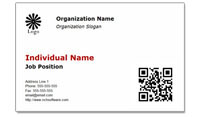
Add a coupon or a QR Code to business cards The templates available for CardWorks business card software have space for a photo. Adding your picture can make a business card feel more personable, but to change things up, you can also use that image space to add something else like a QR code that will open your website or go to a special offer. This will make your business car more engaging, and pique people's interest and curiosity.

Show where you are located with a map on your business card
Display Your Location
In The Tipping Point one idea Malcolm Gladwell discussed was how adding a map showing the location of the college health center on an immunization flier increased the number of students who came in the door, even though students would have already known where the health center was. A map can help people figure out how something fits into their lives/plans, and remind them where to go. Help people find you by changing the image on the back-side of your business card to be a map. Instead of using the default back-side of a template or leaving the back blank, load a map to be the background image to help customers remember where to find you.

Try PhotoPad photo editor to clean up your photo, crop a map or edit any other digital images before you place them on your business card in CardWorks, then have fun taking those business card templates to the next level and making them the right fit for you and your business.

Friday, May 10, 2013

Track Your Hours and Time Spent on Projects

time recording - timesheet tracking software Eliminate the tedious process of creating time sheets after the fact by tracking your time as you go with HourGuard time tracking software and track not only your total time spent working, but the time spent on individual projects or tasks. This makes HourGuard ideal for freelancers and professionals who bill by the hour.

Simply create a list of tasks and sub-tasks. When you start working on something, select that task from the list and click the green Start Task button. Switching tasks will stop timing on the current task and start timing on the new one, or click Stop when you're done. Later you can generate reports for a period of time to see a breakdown of the time you spent on individual tasks.

Thursday, April 11, 2013

Express Invoice Now Available for Android

Express Invoice Android App Now Available
Adding to the NCH Android collection and giving you the ability to create invoices from anywhere, the popular, Express Invoice invoicing program is now available for Android tablets on both Google Play and on the Amazon app store. So business people who couldn't jump on the recent Express Invoice iPad release because they have an Android device don't need to feel left out anymore.

Take your billing on the road with you for easy, streamlined invoicing that is less of a chore. And for an even more comprehensive invoicing solution for multiple users, you can still use the popular desktop versions of Express Invoice invoicing software.

Friday, March 8, 2013

Why Data Privacy And Security Is A Must For Businesses

Guest post by Karen Lawrence

Business security and data privacy
image source
As the owner of a business, whether it is large or small, you must have at least some concerns about data security. Not taking this issue seriously could result in major consequences for you and the business as a whole. What are the reasons why data security and privacy are two major components that any business must consider?

One of the most important reasons has to do with customer interaction with the company's website. For many businesses, individuals are able to pay for services and goods over the Internet. However, as information systems specialists will tell you, this leaves their personal data open to security issues. If the website is not secure, then hackers could steal their credit card information and maybe even their identities. In the event that this happens, customers will likely be very cautious about ever using your services again. Furthermore, if you're not able to provide proof that your website is a secure place for them to add their data, they are likely not going to bother buying anything from you at all.

Now, that bit of information applies only to those businesses who sell goods and services to their customers online. What about companies that do not engage in these practices? Well, they might store sensitive information about patients or details about the company online. These systems are generally password-protected, and there may even be several layers that an individual has to get through in order to access the information. Remember, hackers are professionals, and they are often able to get around these shields. Once again, information not only about the customers but also about the company as a whole is accessed by an ill-intentioned individual.

Another issue arises when people are fired from their jobs, and they try to seek revenge on the company. If they still have the passwords and codes to enter into the website, they may get in and make a major mess of things. They might also leak secrets of the company to competitors and use the stolen information as proof of the success of such concepts.

Whatever the potential threat may be, companies and businesses need to take these issues seriously. If data privacy and security are not maintained, your customers could leave your company, and the business will have to shut down. What can you do about such intruders finding their way into your website and other information? Well, the best step to take would be to hire an IT services professional to create a suitable plan for you.

Karen Lawrence is your ultimate information systems expert. She loves to write these tech-related things like tech events and IT Services in Brisbane.

Wednesday, March 6, 2013

Do You Think Employees Working From Home Are Productive?

work from home employee tracking software What do you think about Yahoo's new position on banning working from home?

Yahoo has made headlines all week, and there has been a flurry of articles, responses and reactions to the Marissa Mayer's announcement. As CEO Mayer is implementing a policy that asks all current remote employees to come in the office or quit because of the cultural assumptions that those remote employees get less work done.

Do you agree? Do you think employees aren't as productive if they are working from home?

NCH Software actually makes a software program designed to be a bit of a compromise allowing employers to monitor hours and tasks remotely. FlexiServer employee monitoring and attendance software is meant to help give the employer peace of mind that employees are being productive. And as you can see in the reactions online, there are a lot of remote workers crying out that face-time doesn't equate with productivity.

What are your thoughts? Monitoring software may be one possible compromise, are there any others? or do you agree with Mayer that all employees need to come into the office?

Thursday, February 28, 2013

Simple Ways To Protect Your Online Data

Guest post by Rick Delgado

Cybercrime is becoming a more prevalent problem every year in the United States. This is because much of what used to be performed in face-to-face interactions are now done online. For example, you probably did most of your holiday shopping last year while sitting down at your computer. Criminals are well aware of the type of information you are providing websites with and are making greater efforts to access that information.
Preventing a problem is always better than trying to clean up afterwards. Knowing how to protect yourself online will save you a lot of stress and problems.
With so much risk attributed to the internet, it is essential to take necessary precautions. In addition to heavy-duty network security programs, or encrypting data before emailing sensitive information, there are simple steps you can take to make sure criminals can't steal sensitive information. Consider some of the following:

Use Privacy Settings
Social media sites allow you to choose how private you want your profile to be. It is smart to only allow people you know and trust to view your social media sites. Identity thieves will often study someone's Facebook or Twitter account to help them take on your identity

Don't Use Personal Information on Social Media
In addition to making your social media private, don't put potentially sensitive information about yourself on it. Even a birthday can give cyber-criminal clues to a password or verification question on your bank account's website. While it seems harmless, it might be a good idea to leave that information out. Your family and friends should know your birthday anyways.

Use Several Usernames and Passwords
Don't use the same password for your Facebook and bank account. Criminals use algorithms to figure out passwords. If they do happen to figure one out, they still won't be able to access information from all your accounts. Also, change your passwords frequently for an added layer of protection. Don't make your passwords obvious either.

Be Cautious of Foreign Facebook Apps
Apps have the potential to access a lot of personal information. Some of these apps are specifically designed to take your information and sell it to criminals. Be cautious of which apps you buy and what country the app is from. You are likely to be safer with apps made in developed countries like the United States.

Don't Trust Public Computers
Don't use public computers, like those in libraries or internet cafes, for sensitive financial transactions. That information could be stolen through the network. If you do use public computers, make sure to log out when you leave. If you don't, people can trace your history or log into your accounts.

Lock Your Phone
People who use smartphones are more likely to have information stolen. Have a lock or password on your screen. Don't leave passwords up on important websites. You have a lot of important information traveling around with you in your pocket. If your information isn't properly secured and you lose or misplace your phone, you could be in serious trouble.

Close Old Accounts
It is always a good idea to reduce your digital footprint. For example, if you no longer use certain social media sites, delete them. The less information you have about yourself on the internet, the harder it will be for identity thieves to trace you.

Keep An Eye on Your Accounts
Once criminals access your information they will make purchases with your credit card. Review your finances frequently to make sure there aren't any unaccounted for transactions. If you do notice any, report them immediately to your bank so you don't lose any more money.

You can never be too careful when it comes to protecting yourself and your family from hackers, identity thieves, and other cyber threats. Your virtual security is extremely important and can keep you from becoming a victim of not so virtual crimes.


About the Author: Rick Delgado is a freelance writer who specializes in the latest advancements in technology and gadgets, and is an expert in preventing online fraud.