Showing posts with label utilities. Show all posts

Friday, July 13, 2018

Best Way To Extract RAR Files

Best Way to Extract RAR Files


What is a RAR file and how do you open it?

A RAR file is a data container similar to a ZIP file that stores data in a compressed archive format. The RAR file is often considered to be a more advanced file format than the ZIP file, as it uses tighter compression and stronger encryption. A RAR file that has been downloaded from the internet will need to be unpacked in order to view its contents. Using a simple archiving and compression tool such as Express Zip, you can easily extract RAR files and open them on your computer in a matter of seconds.


Step 1

Save the .rar file to your desktop or to the folder of your choice. If the file was downloaded from the internet, it may be saved in the Downloads folder on your computer.

Step 2

Launch your copy of Express Zip File Compression Software from the start menu or desktop shortcut. When Express Zip has opened you will be asked if you want to Open an Existing Archive or create a new one. We are opening an existing archive because we are trying to open a .rar file on your computer. Select the .rar file from the folder where it is saved and open it into Express Zip. You will see the titles and file info of the contents of the archive once you have opened it into the program. You can right-click and select open to view the files before extracting them.


Step 3

To extract a RAR file with Express Zip, first select your desired output folder from the Extract Location bar. This is where your unpacked file will end up after extraction. You may only want to extract certain files from the archive. If this is the case, select only the files that you want and then click on Extract Selected.  You can also do this by right-clicking on the file or files you want and then selecting Extract > Extract Selected from the drop-down menu. To extract everything from your RAR file, simply click the button that says Extract All.


The right-click method will prompt you with a window to specify your extract location. Here you can sort out how you would like to handle any file conflicts that may occur during extraction. The default option is Don't overwrite any files, which is usually best. Once you click Extract, you can find your extracted files in the destination folder.

Pro-Tip

If you already have Express Zip installed on your computer, the fastest way to extract a RAR file is to simply locate the RAR file on your computer, right-click on it, select Express Zip and then select the option Extract Here. This will run the extraction protocol on the compressed data archive file and reveal its contents right next to it in the same folder. Easy as that.


Tuesday, April 19, 2016

8 Most Useful Canned Response Email Templates for Business

How to Send Business Emails Faster and More Efficiently With Canned Responses in Gmail, Outlook, or Thunderbird Using Text Expander Software


Prewritten, aka, canned responses have become one of the most important software tools available for any business professional, whether you are working in sales, customer support, or management.

With the sheer number of daily emails that come in for any successful modern business, there are common situations that can be handled with a well-written email template. Below are a few common ones for business use.

Example Business Email Templates:

Greeting/Inquiry

A polite but professional email opens the doors and sets the tone for future correspondence.

Hello [Recipient],

My name is [Name] emailing you on behalf of [Company] -

We are interested in your [Product/Service], and would like to know more about availability, pricing, and any bulk discounts you may offer.

Looking forward to your response.

Sincerely,
[Name/Email Signature]

Message Received, Will Respond Soon

Sometimes you are so overloaded with messages and tasks to handle that you might have to politely ask the other party to wait for a proper response. Instead of just leaving it off for later, acknowledging that you have received a response and telling them that you will respond will buy you time to formulate a proper email when you have time.

Hello!

Wanted to let you know that I have received your email and that I will respond shortly. Please forgive the delay, and know that a proper response is on the way.

Thank you!
[Name/Email Signature]

Invoice/Payment

A well-written invoice email may help get you your hard-earned payment on time with less hassle.

Dear [Client],

We are contacting you in regard to a new invoice [Invoice #] that has been created on your account on [Date Created]. You may find the invoice attached. Please pay the balance of [Amount] by [Date Due].

You can pay by mailing a check to:
[Company Name/Address]
or using our online payment option below
[Link to Payment Portal]

We look forward to conducting future business with you.

Sincerely,
[Name/Email Signature]

Bug/Order Error

Sometimes you or your business makes a mistake. No need to fret; acknowledging the error and making a commitment to fixing it reduces frustration and might prevent a bad review!

Hello [Recipient],

We have just reviewed your email. We're so sorry about the [Issue]!

I'm going to investigate what's going on and get back to you, and we'll make sure this gets fixed ASAP.

In the meantime, let me know if there's anything I can do to make sure you have a great experience with us and not let this hamper our relationship in the future.

Sincerely,
[Name/Email Signature]

Refund

Not every issue gets resolved successfully, and when that is the case, a refund is usually in order. Taking the time to write them a short letter alongside the refund just might convince them to come back at a later date.

[Recipient],

We have received and processed your request for a refund.

I'm sorry we didn't live up to your expectations and have completely refunded your charge. It will show up as a credit in your bank statement within the next business day or so.

Let me know if I can assist you further, and we hope to regain your business at a future date.

Thank you,
[Name/Email Signature]

Cancel Service/Ask for Refund

When a service you have paid for doesn't quite live up to your needs, it's time to request a cancellation and possibly a refund.

Hello,

I am contacting you in regards to account [Account Info].

Unfortunately, I am no longer in need of your service, and I want to cancel ASAP. Please let me know when it has been canceled alongside any billing notices associated with the account.

Thank you for your assistance,
[Name/Email Signature]

Reschedule/Cancel Appointment

Life and emergencies often get in the way of business, and when it does, it's polite to notify the other party as early as possible and offer them the ability to reschedule.

[Client],

I'm very sorry - something has come up, and am going to need to reschedule our appointment.

Let me know your availability. I will try to accommodate your schedule.

Again, sorry for the change of plans.
[Name/Email Signature]

Do Not Contact/Unsubscribe

When spammers or unsolicited emails find you, a hard stance is often needed to stop them from pestering you.

Hello,

I have tried to unsubscribe from your email list on multiple occasions with no success.

Please manually remove me from this list ASAP. Remove me from any corresponding lists as well.

I will start marking as spam any emails received from you from here on out.

(Optional) If this continues, I will have no choice but to report you to my Email provider as well as the FCC.

Thank you.
[Name/Email Signature]

Save 100's of Hours by Combining Email Templates With Text Expander Software 

Now that you have the email templates to use, save even more time by binding them to text shortcuts using FastFox Shorthand Text Expander. FastFox allows users to make keyboard shortcuts trigger full paragraphs, email signatures, and images to optimize your email response times!

To learn how to use FastFox for efficient business email management, read the following: How to Use Email Shortcuts for Your Business

Click on the link to download or purchase:

Thursday, February 28, 2013

Simple Ways To Protect Your Online Data

Guest post by Rick Delgado

Cybercrime is becoming a more prevalent problem every year in the United States. This is because much of what used to be performed in face-to-face interactions are now done online. For example, you probably did most of your holiday shopping last year while sitting down at your computer. Criminals are well aware of the type of information you are providing websites with and are making greater efforts to access that information.
Preventing a problem is always better than trying to clean up afterwards. Knowing how to protect yourself online will save you a lot of stress and problems.
With so much risk attributed to the internet, it is essential to take necessary precautions. In addition to heavy-duty network security programs, or encrypting data before emailing sensitive information, there are simple steps you can take to make sure criminals can't steal sensitive information. Consider some of the following:

Use Privacy Settings
Social media sites allow you to choose how private you want your profile to be. It is smart to only allow people you know and trust to view your social media sites. Identity thieves will often study someone's Facebook or Twitter account to help them take on your identity

Don't Use Personal Information on Social Media
In addition to making your social media private, don't put potentially sensitive information about yourself on it. Even a birthday can give cyber-criminal clues to a password or verification question on your bank account's website. While it seems harmless, it might be a good idea to leave that information out. Your family and friends should know your birthday anyways.

Use Several Usernames and Passwords
Don't use the same password for your Facebook and bank account. Criminals use algorithms to figure out passwords. If they do happen to figure one out, they still won't be able to access information from all your accounts. Also, change your passwords frequently for an added layer of protection. Don't make your passwords obvious either.

Be Cautious of Foreign Facebook Apps
Apps have the potential to access a lot of personal information. Some of these apps are specifically designed to take your information and sell it to criminals. Be cautious of which apps you buy and what country the app is from. You are likely to be safer with apps made in developed countries like the United States.

Don't Trust Public Computers
Don't use public computers, like those in libraries or internet cafes, for sensitive financial transactions. That information could be stolen through the network. If you do use public computers, make sure to log out when you leave. If you don't, people can trace your history or log into your accounts.

Lock Your Phone
People who use smartphones are more likely to have information stolen. Have a lock or password on your screen. Don't leave passwords up on important websites. You have a lot of important information traveling around with you in your pocket. If your information isn't properly secured and you lose or misplace your phone, you could be in serious trouble.

Close Old Accounts
It is always a good idea to reduce your digital footprint. For example, if you no longer use certain social media sites, delete them. The less information you have about yourself on the internet, the harder it will be for identity thieves to trace you.

Keep An Eye on Your Accounts
Once criminals access your information they will make purchases with your credit card. Review your finances frequently to make sure there aren't any unaccounted for transactions. If you do notice any, report them immediately to your bank so you don't lose any more money.

You can never be too careful when it comes to protecting yourself and your family from hackers, identity thieves, and other cyber threats. Your virtual security is extremely important and can keep you from becoming a victim of not so virtual crimes.


About the Author: Rick Delgado is a freelance writer who specializes in the latest advancements in technology and gadgets, and is an expert in preventing online fraud.

Wednesday, December 26, 2012

Free and Easy Backup Software, Now Available for Mac OS X

freeHaving a backup system is an important line of defense to prevent you from losing any important files or photo memories you have on your computer. FileFort is a simple, yet powerful data backup program that is now available for Mac OS X in addition to Windows. With FileFort backup software you can automatically backup all your files, folders, documents and photos to any one of a large number of places. Burn your files to CD DVD or Blu-ray disc, save them on a USB flash drive, upload them to a remote FTP server or even store them of an online account such as Dropbox or Google drive.

Simply select what files should be saved, where to save them, and schedule how often to have the back up run. It is like having an insurance policy on your files, only instead of getting compensation if something is lost, you can retrieve the actual files. This really is one of those cases where it is better to be safe than sorry, so whether you are on a PC or a Mac if you don't have a backup solution already in place you will want to download FileFort backup software today to set things up quickly and easily, for added peace of mind in minutes.

Monday, October 29, 2012

Back Up Files to Your Online Accounts

Backing up files regularly is an important fail safe to make sure you don't lose valuable information. There are plenty of different ways to back up and protect your documents, including copying files to an external hard drive or burning them on disc, but a more recent solution is storing files online in "the cloud." This means recent versions of your files are saved securely on a web server and an easy way to accomplish this added security is with our FileFort backup software. You can quickly save files to your online Google Drive, Amazon S3, or DropBox accounts, in addition to the standard places like an external hard drive, network folder, USB drive or FTP server. Choose whichever backup solutions work best for you locally or online, and let FileFort easily manage them for complete protection of your files.

Tuesday, October 23, 2012

U is for Utilities

NCH Software ABCs Series

Software Utilities Software utilities utilities might be less glamorous than our other software products, but this category includes all of the software titles that you need to get your computer working for you. We’ve got software that can help with anything, including all of the day-to-day and maintenance tasks that you might need accomplished. Our focus to bring you fast and easy-to-use software is even more important for programs that fit in this category, as you want these utilities to get the job done. Whether you are burning a disc, backing up files, or cleaning your windows registry, here is our complete list of utility software:

<<< Previous: T is for TypingNext: V is for Video >>>

Tuesday, October 16, 2012

Top Notch Text to Speech Software

Award for Verbose Screen Reading Software Best Text to Speech Software
The experts at Software Review Boffin recently added Verbose Text to Speech Software to the top of their list of text to speech converting software. In the the review the stated, "we found [Verbose] to be completely up to the job. Software Review Boffin is happy to include Verbose among our top three choices," going on to say:

"Software Review Boffin found Verbose Text to Speech Software to be a easy and straightforward text to speech converter that can read aloud or alternatively save spoken text to a users mp3 files.Verbose Text to Speech Software reads all written text onto your computers sound system and it will convert text to mp3 format and save to listen at a later time."
  – Software Review Boffin

Read the complete review of Verbose Text to Speech Software from Software Review Boffin, or simply download Verbose now to give the software a try and your eyes a break.

Friday, August 3, 2012

Enthusiasm For FileFort File Backup Software

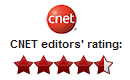
4.5 Star CNet review for FileFort Backup SoftwareRecently, CNET reviewed FileFort Backup Software, giving it a spectacular rating, especially for a free program designed solely to back up your files, and not create full system images (which CNET is also a big advocate of). In the review, they recognized that FileFort "protects your critical data from damage or loss on a regularly scheduled basis, quickly and easily," and, unlike some competitors, "can back up data to a variety of locations, including USB drives and CD/DVDs." They went on to say:

"FileFort's user interface is commendably simple but attractive and up to date in style and layout. The program opened with a backup wizard that quickly led us through the process of setting up and running our first backup. FileFort can back up files to a variety of locations, including external drives, a networked PC, a remote server via FTP, and optical disks via Express Burn."
CNET
You can read the complete review of FileFort Backup Software from CNET on download.com. Then be sure to download a copy for your machine to help back up and protect all of your important files.

Thursday, January 12, 2012

B is for Business

NCH Software ABCs Series

B is for Business SoftwareNCH Software has a wide range of business solutions, and just like our other software categories, each program is focused on doing a specific task in an easy and efficient manner. The individual programs can be combined, making it easy for a small business to grow into other applications at their own pace, and customize a software solution for the unique needs of their business. Along with our software utilities for file management and other essential software tools, these core business products will help you keep track of how your business is doing and keep things running smoothly at a cost-effective price.
<<< Previous: A is for Audio
Next: C is for Converting >>>

Wednesday, November 16, 2011

Easy Email Encryption Software

Free Email Encryption SoftwareHave you ever worried about sending private information via email? Needed to send sensitive information to someone that could cause problems if it fell into the wrong hands? Privacy and security are of growing concern in the digital world with the rising levels of crimes such as identity theft. This doesn't mean that you should not send sensitive information, but it does mean that you need to be cautious about how you do it. An easy method of protecting sensitive information is to encrypt it.

With MEO File Encryption Software encrypting files, folders, and emails is easy. If you want to encrypt an email, you simply hit the Encrypt an email button from the main window of MEO and type in the To:, Subject: and Body of the email, add any attachments and hit Send. You will need to set a password for the encrypted file, keeping in mind that all of the rules you know and love regarding password strength still apply. Finally, you need inform the person receiving the email of the password or they will be unable to open and read what you sent them. It is up to you to choose a method to share the password with your email recipient, you may tell them on the phone, in another email, or even send them a riddle to figure it out. The original email they receive from you will let them know that they need MEO to decrypt the attachment. Since MEO is a free encryption software, that's really no problem at all!

Wednesday, March 17, 2010

Prism Video Converter: A Rainbow of Possibility

prism video converter opening a rainbow of movie viewing possibilities It’s happened to us all before: you get an email from your best friend. The subject line is Funniest Video Ever!!! and the only line in the email indicates your friend laughed so hard they spewed milk out of their nose. The attachment is a video, which you click to view, eager to be entertained by this week’s top viral blooper. But something is wrong. Your computer won’t open the video file format...

Previously I would have closed my email and skulked away from the computer feeling left out. But now I know I can open Prism, select the file, and convert the file to a format that I can watch. The laugh’s on me, but in a good way.

Out of the many NCH products I use on a daily basis, Prism video converter gives me the most satisfaction. Videos really used to be a stopping block for me. I understood so little about them—their formats and codecs (Ok, I still don’t really know what that refers to)—that I was willing to give up rather than put myself through the headache of figuring it out. So in a way, Prism has changed my life.

And more than just my email-attachment-opening skills has improved. Recently, I took a silly little video of my dog running around the house on my phone. I emailed the video to myself, converted the file format to a .mov, and loaded it onto my iPod. Video, which used to be such a foreign and out-of-reach media to me (and the masses) is now something I’m considering turning into a hobby.

Soon, I’ll be editing videos on VideoPad, compiling intricate soundtracks on WavePad, and posting my amateur cinematography for you all to see. YouTube first, then...the Oscars? You never know...all thanks to one little application that showed me never to fear video files again.

Wednesday, March 10, 2010

Hello World!

I’ve been with the NCH Software development team for awhile now, and I thought it time to introduce myself on our blog. I am currently on the Utilities team working on some very exciting new products that are moving through our development pipeline. You should see these released in the upcoming months and I'm looking forward to your feedback on these products. Prior to Utilities, I worked on improving several of our Telephony and Voice applications. For those of you who have migrated from Express Talk version 4.10 to 4.20, the colored indicator line lights and address book improvements were a couple of my first implementations at NCH.

Hello world! guest experience feedback When I was working my way through college I worked in the restaurant industry, where we constantly talked about the Guest Experience. Guest Experience was defined as everything from when a guest walked in the door to the next day when they opened up their leftover cheesecake box for another savoring. You have to pay close attention to detail to anything and everything that might improve or detract from the Guest Experience to make a restaurant successful. Feedback from our customers was essential to that process of success.

We employ the same philosophy at NCH Software. One of our core principles at NCH is designing software for the user experience. In fact, we devote a lot of effort to making sure that our software is as seamless as possible -- from the initial download until you are using our applications to their fullest power. I know that we talk a lot about the "3 Minutes or Less" user experience in the blog, but that is because it is important to us as a company across the board. We developers don't always get a chance to interact with the end user, which is why we ask Jen and Laura for input from you.

Shifting gears a bit, there is a very large software company based in Redmond, WA which has a mantra of "Eat your own dog food." Basically, it translates to "use your own software." We follow this philosophy in our offices too, using as much of our own software as is feasible. It helps us to continually evaluate and improve on what we do. We use Axon as our PBX, as well as VoIP products like Express Talk, and IVM to complete our telephone communications. In fact, I used Express Burn to create my portfolio CD when I applied to NCH.

We don't always get everything right the first time, we know that. No one is perfect. But that is just one more reason why it is so important for us to use our own products constantly and communicate with our customers; it helps us find the areas that can be improved. As developers who value quality, these ideals couldn't more important to us. Using our own products and hearing from our customers helps make us better.

David has been with NCH Software since early 2009 and is currently assigned to the Utilities division, where he is developing new products.